
Everyone talks about Google, right? But hey, Bing Webmaster Tools is a super important and free Microsoft service. It makes sure your website shines on the Bing search engine, too!
Much like Google Search Console provides insights for Google, Bing Webmaster Tools helps you track your website’s presence and performance within Bing’s ecosystem.
This comprehensive guide details the process of verifying your website on Bing. We’ll show you how to utilize the WinnSEO plugin for an effortless setup.
There are two methods of connecting your site to Bing. Visit Bing Webmaster Tools.
Let’s break down the steps.
Method 1: Import Your Site from Google Search Console
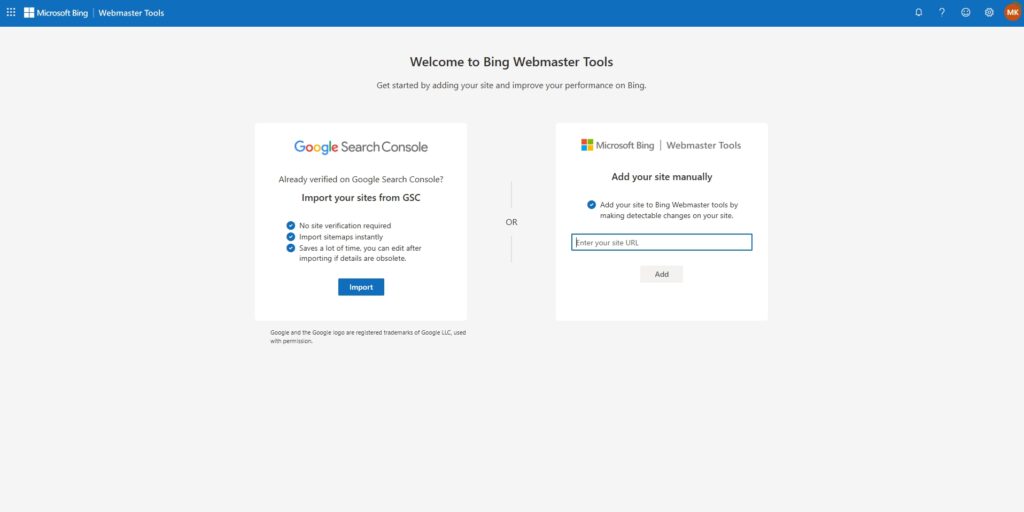
On the “Welcome to Bing Webmaster Tools” page, see the “Google Search Console” section on the left.
Click the Import button to import your site directly from Google Search Console.
You need to sign in with your Google email address or phone number and proceed.
Next, Bing.com will request additional access to your Google Account, specifically to “View Search Console data for your verified sites.” Review the permissions and click the Continue button to allow Bing to access your Google Search Console data.
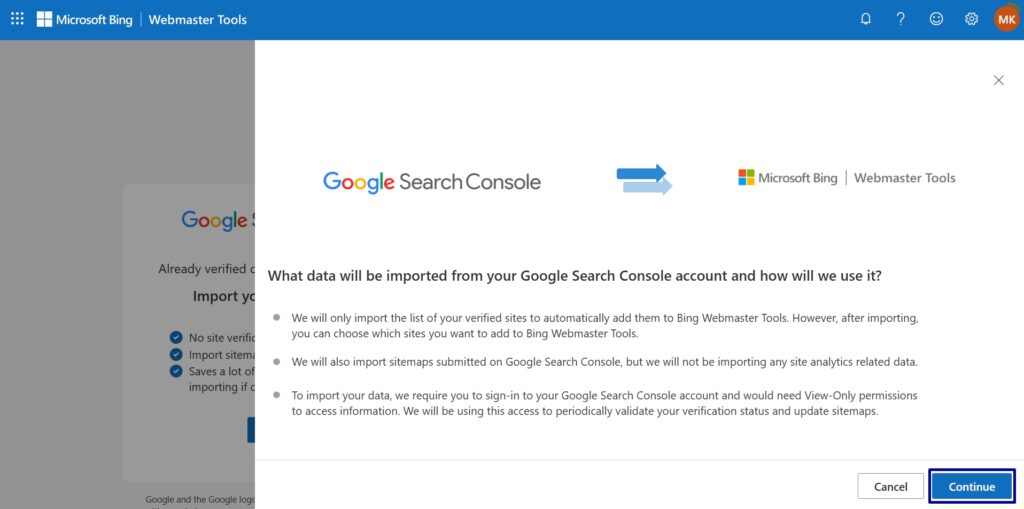
Here, you’ll see a popup.
It explains that Bing will import your list of verified sites and submitted sitemaps, but not site analytics data. It also states that View-Only permissions are required.
Click the Continue button to proceed with the import.
Finally, select the site that you want to import and click on Import.
Bing will now connect to your website.
Method 2: Add Your Site Manually to Bing
- Go to “Add your site manually” section
- Enter your site URL
- Click “Add”
Now, choose the “HTML Meta Tag” option. Then copy the provided <meta> tag.
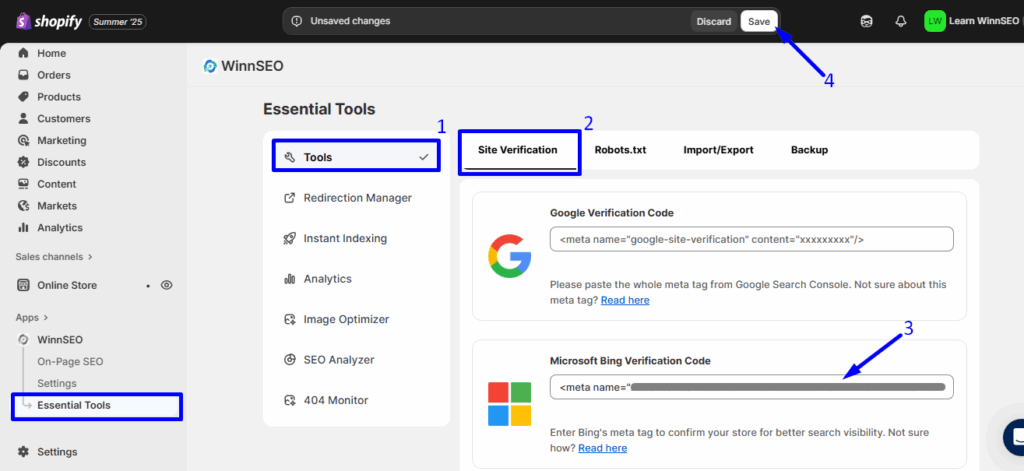
Next, go to your Shopify Store’s WinnSEO app, then navigate to WinnSEO Essential Tools:
- The Tools option is already chosen
- The Site Verification tab is currently active
- Paste the copied meta tag into the Bing Verification Code field
- Click on the Save button
You can now verify your website on Bing Webmaster Tools. Once that’s done, you’ll get full access to all the cool features in Bing Webmaster Tools!
Both methods are simple. Follow the one you find suitable for you.
