
Verifying your website with Yandex Webmaster is an important step to ensure your site is properly indexed and performs well in Yandex search results. This guide will teach you the process with WinnSEO.
Let’s learn the easy and quick steps.
Verify Your Website with Yandex Using WinnSEO
We’ve divided the process into two simple steps.
Step 1: Go to the Yandex Webmaster website
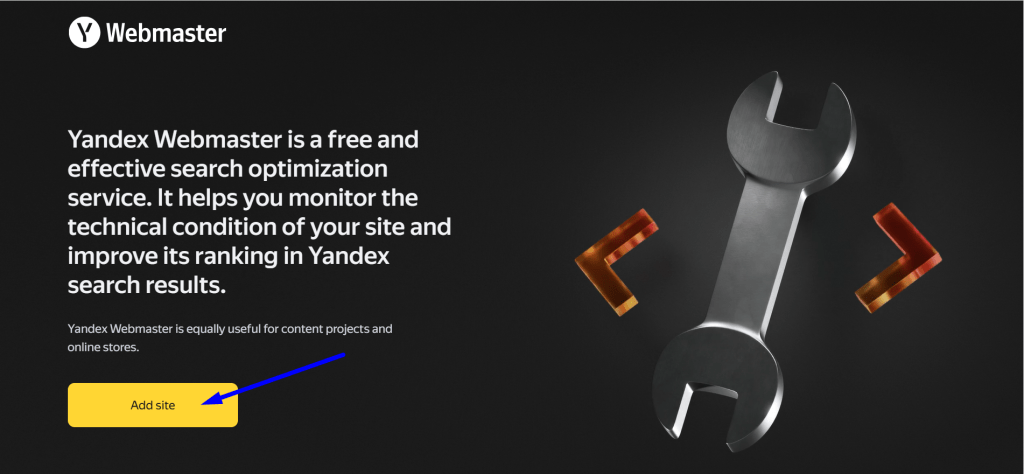
Visit the Yandex Webmaster website. Click the “Add site” button.
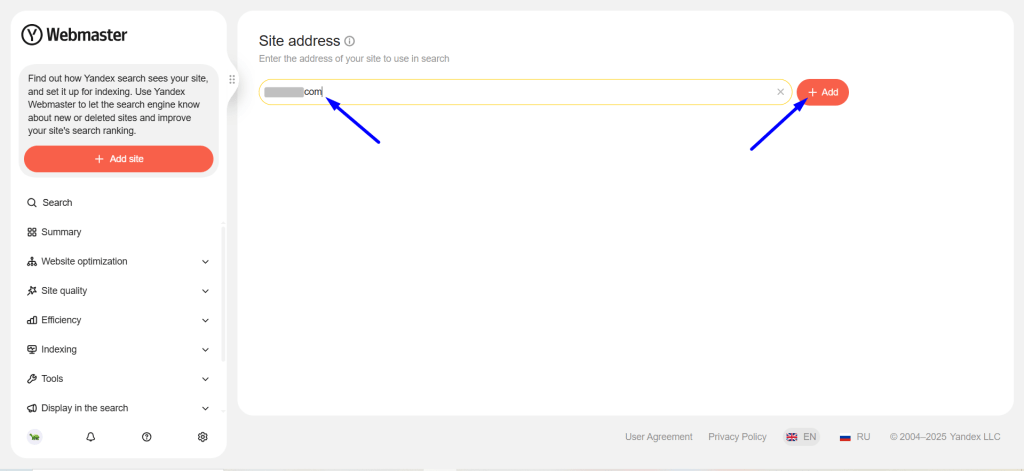
In the “Site address” field, enter the full URL of your website and click the “+ Add” button.
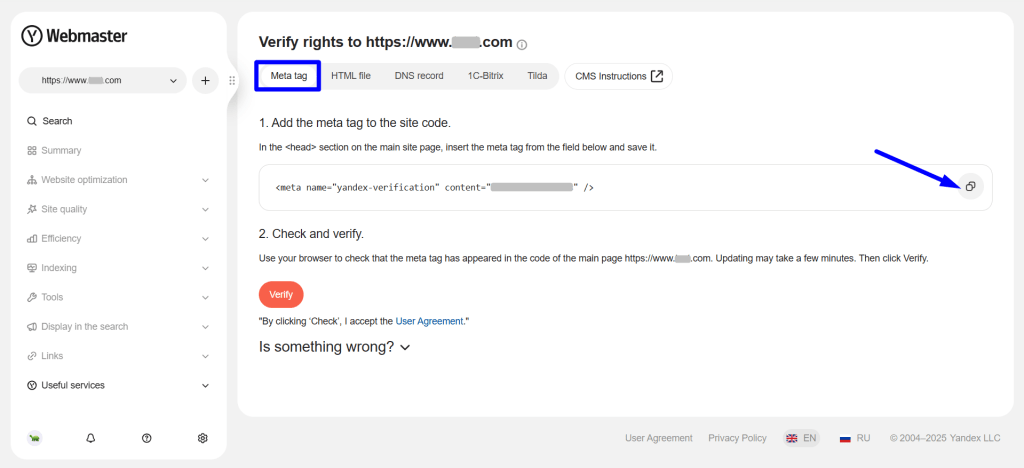
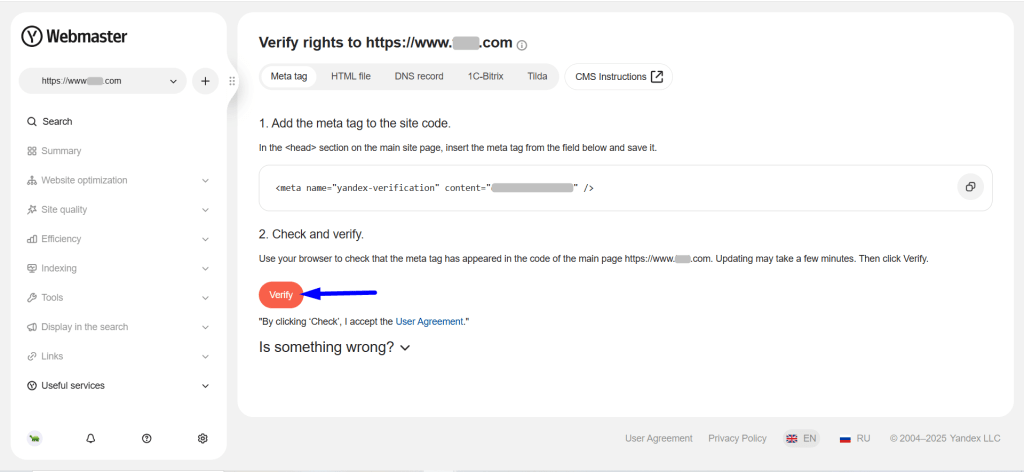
Choose the “Meta tag” tab as your verification method. Then, copy the provided meta tag.
Step 2: Go to your Shopify store
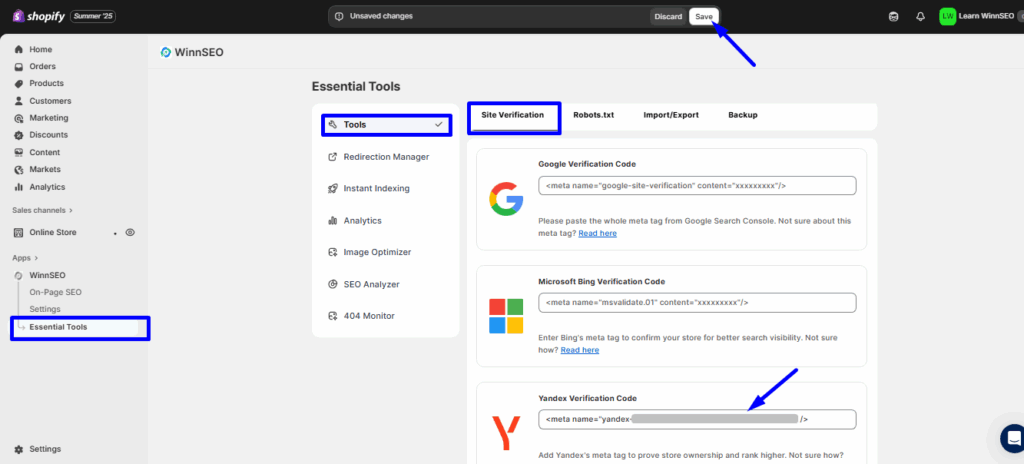
Go to your Shopify store. Find Essential Tools under WinnSEO.
- In the “Site Verification” section, you’ll see the “Yandex Verification Code” field.
- You have to paste the copied meta tag (the code by the Webmaster you’ve copied earlier) here.
- Save the changes to your website.
Finally, go back to your Yandex account and from the “Check and Verify” section, click on the “Verify” button.
Following these steps will help you successfully verify your site with Yandex Webmaster.
