
Since you’re here, chances are you’re going to love WinnSEO. This amazing tool offers several advanced settings. The options provide granular control over various aspects of your website’s SEO, primarily focusing on managing how search engines crawl and index your content. And you can work on metadata optimization.
Here, we’re going to discuss those options for you in detail.
Table of Contents
Advanced Options and Settings
First things first. Log in to your Shopify store and navigate to WinnSEO. Follow the steps:
- Click on the Settings option
- You’ll find Search Appearance
- Go to the Advanced tab
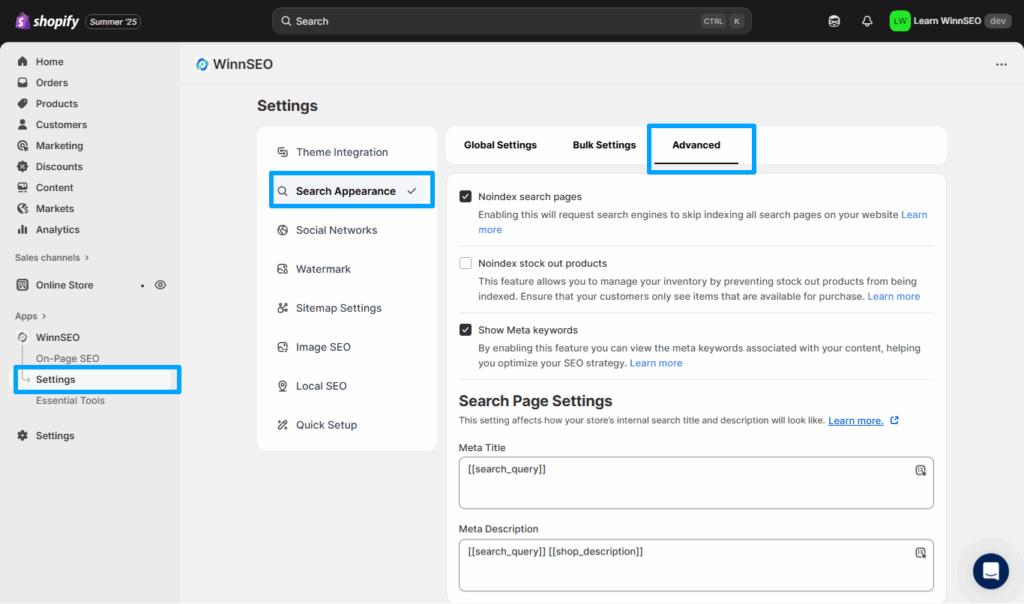
Now, scroll down and find the options.
Noindex search pages
This setting requests search engines like Google to skip indexing all internal search result pages on your website. Prevents low-value, often redundant, search result pages from cluttering search engine indexes. It also keeps them from diluting your site’s overall SEO value.
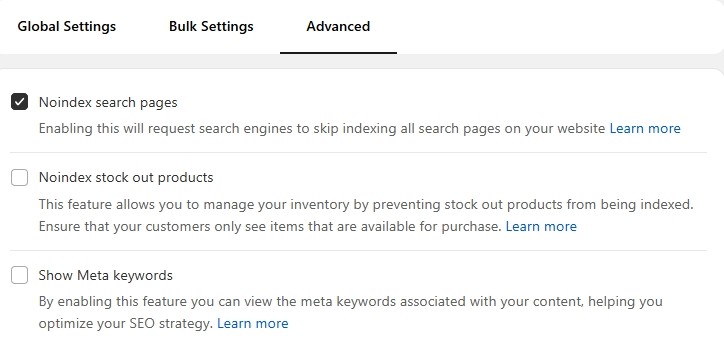
Noindex stock out products
If you enable this option, you can stop search engines from indexing out-of-stock products. This ensures customers only see available items in search results. It also improves user experience and can reduce bounce rates.
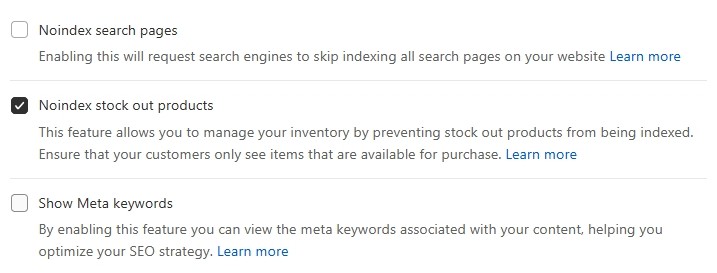
Show Meta keywords
Curious about the meta keywords linked to your content? While big search engines like Google ignore the meta keywords tag for ranking, other search engines like Yandex still use this. So when you enable this option, it’ll include this specific meta tag using the keywords added in On-Page SEO.
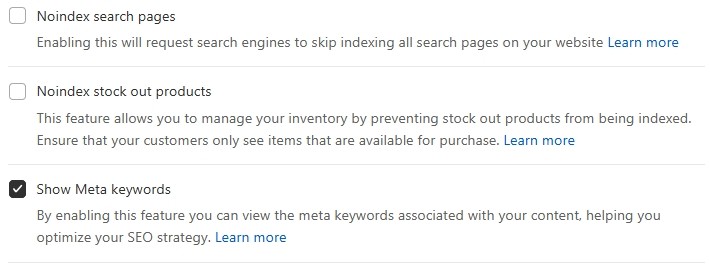
Search Page Settings
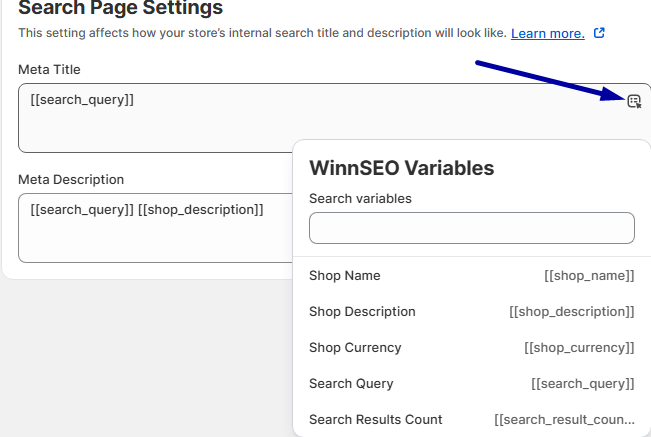
If you want to index your internal search pages, you can set the meta title and description from here.
- Meta Title: Provides a field to define the title that appears in the browser tab and search engine results for your internal search pages. Or from the dropdown menu, you can select key variables for your title, like Search Query, Search Results Count, and others.
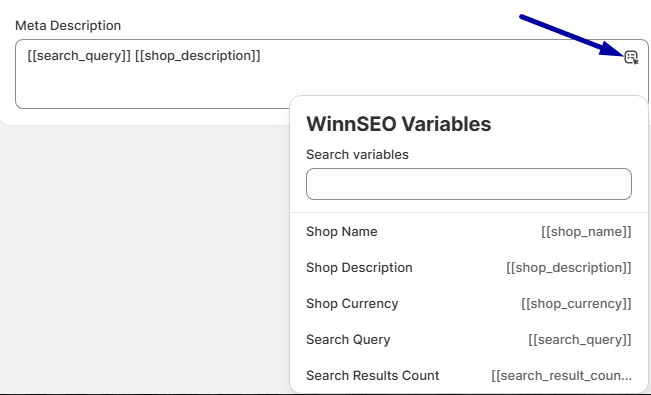
- Meta Description: Like the meta title option, you’ll get a field to set the descriptive snippet here. It’ll appear under the title in search engine results for your internal search pages. Also, from the dropdown menu, you can choose smart variables for the description, like Search Query, Search Results Count, and others.
A little polish on these can improve the click-through rate from search results for your internal search pages.
And just like that, you’ve learned the full potential of WinnSEO’s Advanced Settings. Now optimize with confidence; your website will thank you!
