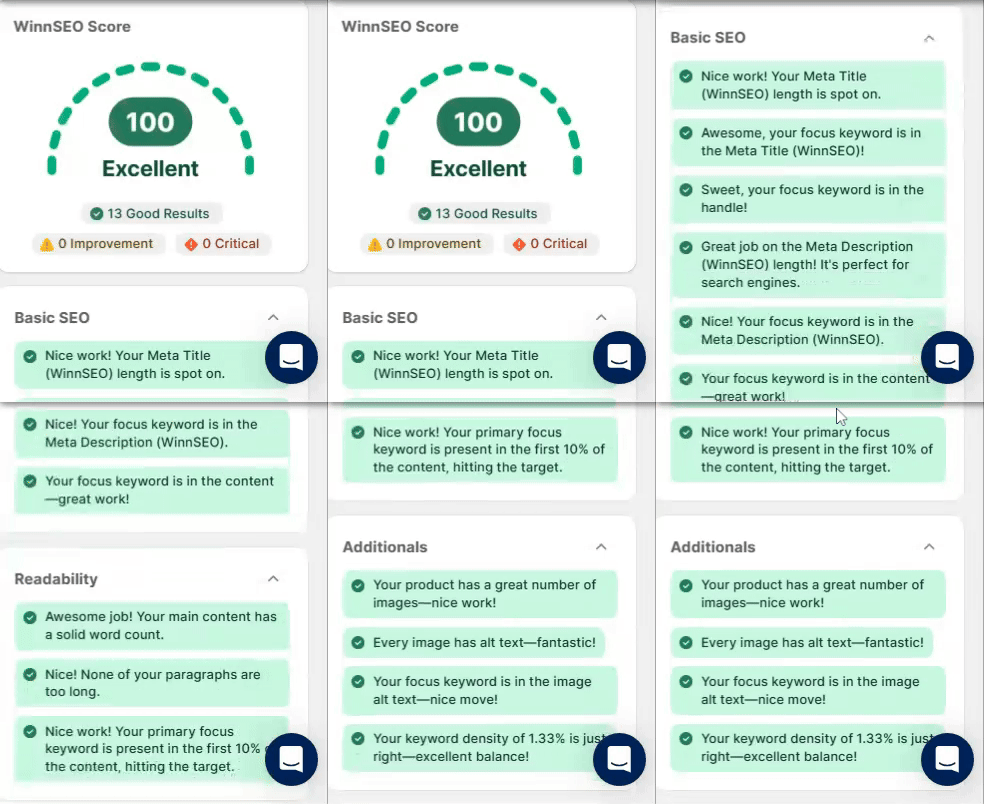
On-page SEO is all about adjusting things on your website, like titles, content, and images. It helps search engines like Google understand what it’s about and rank it higher. The better Google understand it, the more likely it’s to show your site to people searching for what you offer. It’s one of the easiest ways to boost your visibility organically and get more clicks without spending on ads.
If you’re aiming to crush your SEO game and land that sweet 100/100 score for your products, WinnSEO’s On Page Analyzer has your back. In this guide, we’ll educate you about on-page SEO and show you how to make your products shine for search engines, step up your on-page optimization.
Let’s begin!
Table of Contents
How to Optimize Your Product Pages with WinnSEO
Log in to your Shopify account and follow the below steps.
- First, go to the On-Page SEO section in WinnSEO.
- Then, open the Products tab and pick the product you want to edit.
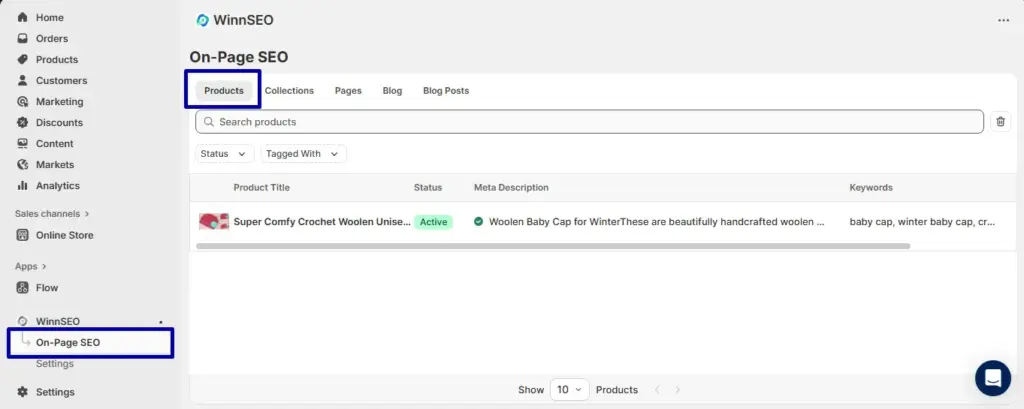
Before we dive into the specifics of on page settings, let’s take a look at how to choose and use a focus keyword for your content.
Choosing a Focus Keyword for Product Pages
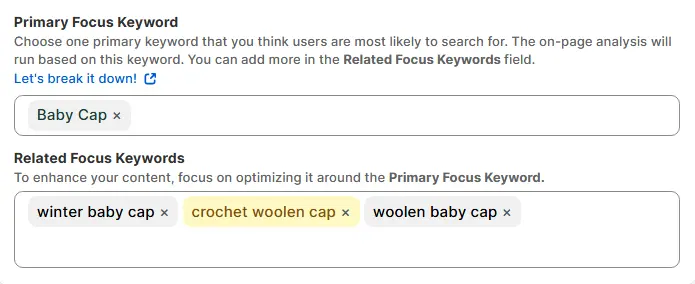
When setting up your product for SEO, you’ll need to pick a primary focus keyword, this is the main term you want your page to rank for. It helps search engines understand what your content is really about.
Then add a few related focus keywords, these are secondary terms or related variations people might also search for. They increase your chances of showing up in more searches and make your content feel more natural and complete.
Helpful for you 👉👉👉 Mastering Focus Keywords with WinnSEO for Shopify SEO
Understanding Your WinnSEO Score
The WinnSEO score gives you a quick snapshot of your website’s on-page SEO health. It helps you see where you’re doing well and what you need to fix to improve your search engine rankings.
Here are the score range and their meanings:
- Score 1-50
Your on-page SEO needs some serious love. This score usually means your content might be missing key elements like proper keywords, meta tags, or headings. So search engines are having a hard time figuring out what your page is about. Don’t worry! with a few solid fixes, you can turn it around fast.
- Score 51-80
Not bad, but not great either. Your page is doing okay, maybe the basics are covered, but there’s room to grow. Adding a stronger focus keyword, polishing your content, and tightening up your meta tags could give it the boost it needs to climb higher in search results.
- Score 81-100
Nice work! your on-page SEO is in top shape. You’ve likely nailed the keywords, formatting, and structure, making it easy for search engines and users to understand your page. Just keep an eye on evolving SEO updates and tricks to stay ahead of the game.
1. Basic SEO
Checks if your content follows core SEO rules and shows you tips accordingly.
- Length of meta title (WinnSEO): To get your meta title length into the green zone, aim for a length between 50 and 60 characters. A title that’s under 50 characters might show a yellow signal because it may not provide enough context for readers, so you may need to add a few more words.
Conversely, a red signal means your title is over 60 characters. In this case, you’ll need to trim it down a bit so search engines don’t cut it off in their search results.

- Focus keyword in the meta title: For the focus keyword in your title, you’re good if it’s already in there, nice! Having the keyword in your title tells search engines and people exactly what your page is about.
But, if you’ve forgotten to include it and it’s showing red, just sneak it into the title in a natural way.

- Focus keyword in the handle: The presence of focus keyword in the handle helps people instantly understand your purpose, making your profile easier to find and remember.
Don’t worry if you’ve missed the keyword and see a red alert. Just add it to the handle simply, so it feels like it was meant to be there all along.

- Meta description length (WinnSEO): The best practice is to keep your meta description around 150 to 160 characters. If your description is too short, our tool might flag it with a yellow alert. If it’s too long, you’ll see a red alert.
This is because descriptions that are too short don’t give enough information, and descriptions that are too long get cut off in search previews. The goal is to tweak your description until it’s in that “sweet green spot.”
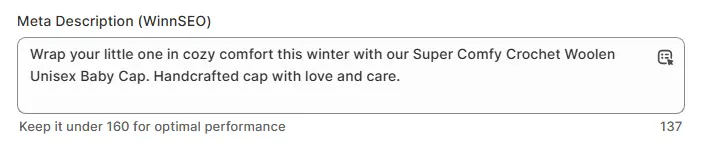
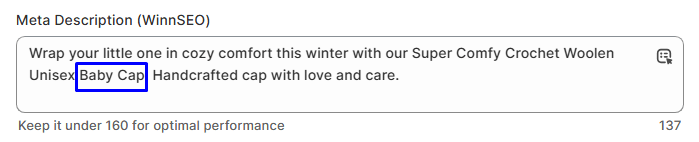
- Focus keyword in the meta description: If your focus keyword is in the meta description, awesome! Nothing else to do! Including the keyword helps search engines know your page is relevant to what people are searching for.
But, if you haven’t used it, just drop it in there smoothly so the tool doesn’t give you a red signal. It’ll then make sense and help your SEO.
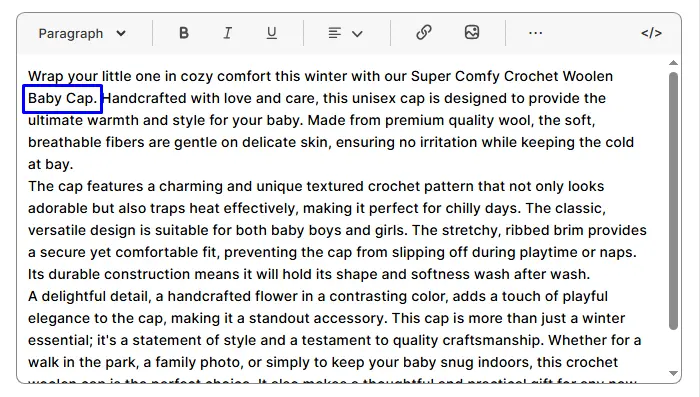
- Focus keyword in the content: When it comes to the focus keyword in your content, you’re winning if it’s in there already. Using your keyword shows search engines your content actually covers the topic.
However, if it’s absent in the content, go ahead and work it in a couple of times, but be sure to keep it chill and natural.
2. Readability
The sugesstions tell how easy your content is to read!
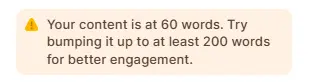
- Word limit of content: Now, for word count, try to hit at least 200 words. If it’s sitting at around 60 and showing yellow, you can add a few more thoughts or examples to beef it up. If it’s red, that’s a clear signal that it’s definitely time to write more!
Remember, longer content gives more value, context, and keyword opportunities for better ranking in search engines.
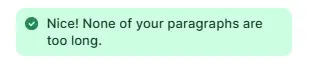
- Paragraph length: Your paragraphs are looking good if they’re short and snappy. If you’re seeing red, break up any long blocks of text to keep things easy on the eyes.
Short paragraphs make your content easier to read and more user-friendly on all devices.
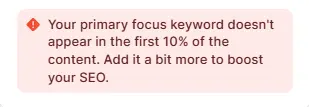
- Focus keyword in the first 10% of the content: Putting the keyword early shows both users and search engines what the page is all about right away. It’s simple, try to get your focus keyword into the first 10% of the content.
If it’s missing early on and you’re getting a red alert, just move it up closer to the start.
3. Additionals
These are extra tips that can give your page a boost, check them out.
- Number of images: When it comes to images, having at least 4 on the page is ideal. Because it keeps users engaged, breaks up long content, and signals rich content to search engines.
Got less than that? Toss in a few more visuals to help tell your story and you’ll get that desired green signal.
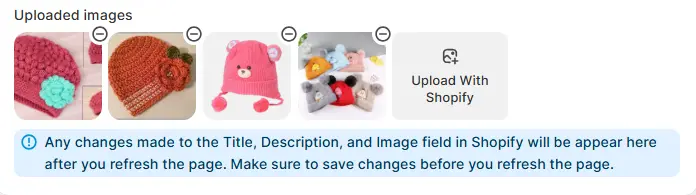
- Alt text to the images: Alt text helps visually impaired users and gives search engines context about your images. Make sure every image has alt text; if you’ve done that already, you’re golden!
If not, go back and add simple descriptions to each one.

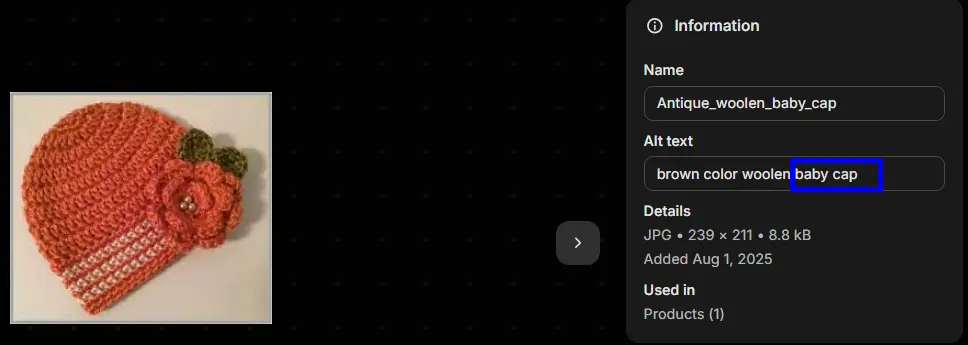
- Focus keyword in the alt text: If your focus keyword is in the image alt text, that’s a green signal. If it’s missing, just work it into one or two image descriptions where it makes sense.
This is important because it helps your images show up in Google Image Search and reinforces your content’s relevance.
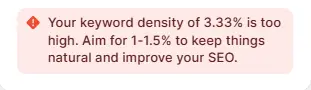
- Keyword density: And finally, about that keyword density, try to keep it around 1 to 1.5%. Balanced keyword use helps SEO without making your content feel forced or robotic.
If you’ve used over 3%, you’ll notice a red color and if it’s below 1%, you’ll probably see a yellow signal. So adjust it accordingly to your content sounding natural and not spammy.
You’re all set, now it’s your turn to give it a go! Use WinnSEO’s On Page Analyzer and aim for that perfect 100/100 score.