
WinnSEO’s AI settings take the stress out of optimizing your blog pages. It helps your content shine and attract more readers. No fuss, no stress, just more traffic to your site! Let’s dive in.
Table of Contents
Getting Started
Head over to the On-Page SEO section in the app, where you’ll find all your blog pages. Pick one, say, Listen Flawlessly: The Best Wireless Headphones, and you’ll land right on its AI Optimization page.
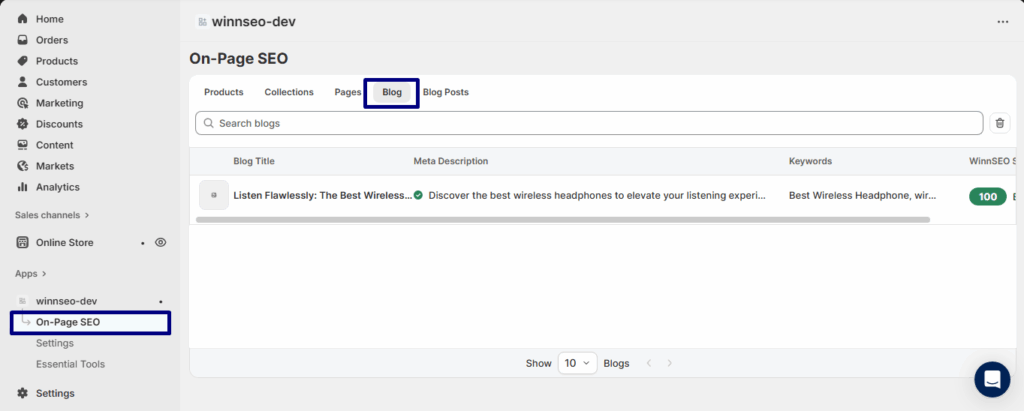
So, you’re on the Listen Flawlessly: The Best Wireless Headphones page. The cool thing? Click the Winnie icon and boom! everything’s optimized in a snap. Easy peasy!
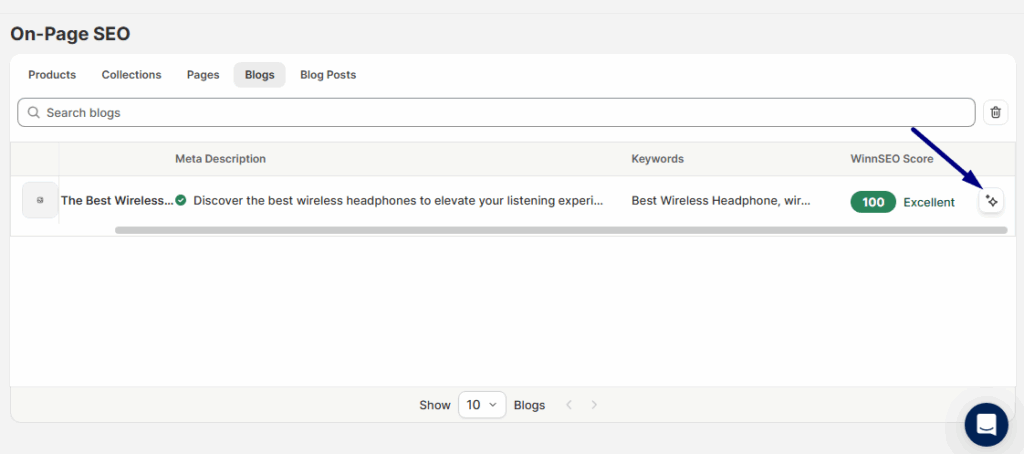
Feeling curious? Click on the blog, and you’ll dive right into its AI settings screen to explore everything yourself.
AI Settings in Action
At the top of the editor, you’ll see the AI options. Simply choose what you want to generate, and the AI is ready to work.
- Meta Title & Description, Keywords: Produce SEO-optimized titles, descriptions, and keyword ideas.
- Product Title: Generate an attention-grabbing, optimized name.
- Product Description: Write a compelling, SEO-focused description.
- Product Handle: Create a neat, search-friendly URL.
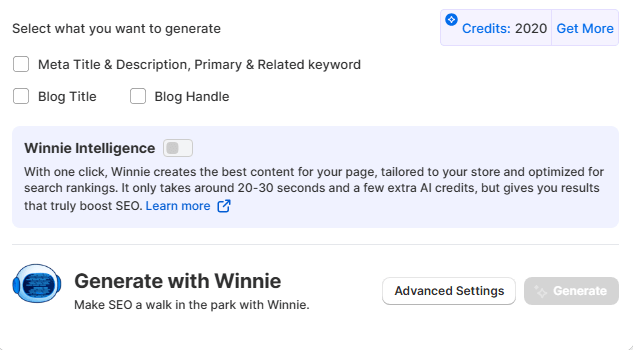
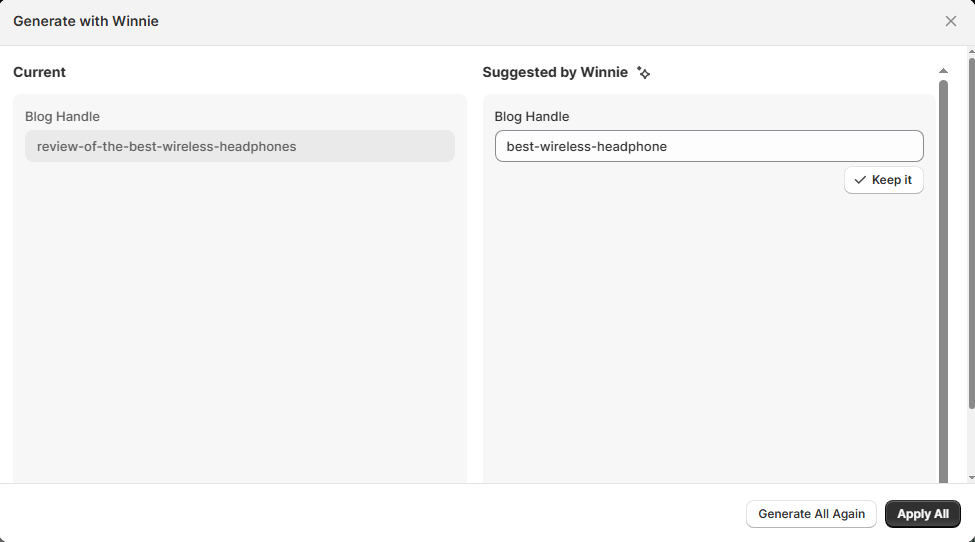
Need a blog handle? Just tick the box and hit Generate, it’s that easy!
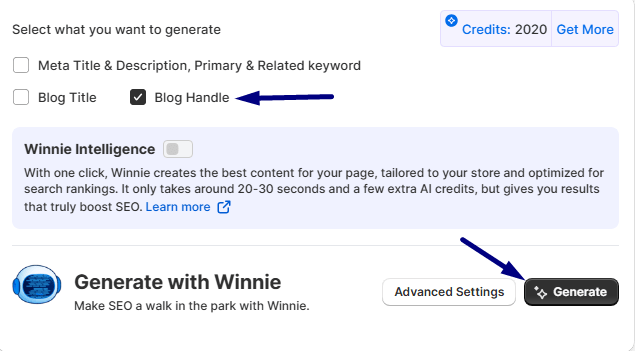
Take a look at the result we obtained –
Putting Your New Results to Work
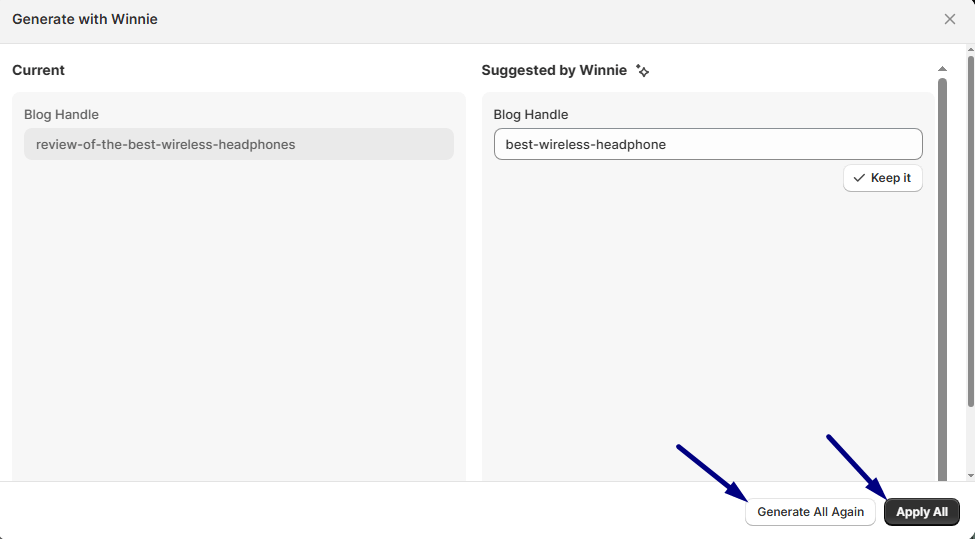
Apply All: Like what you see on the right? Hit Apply All and let Winnie instantly swap in all the new keywords and descriptions for you, easy as that.
Generate All Again: Not totally sold on the suggestions? Just click Generate All Again, and Winnie will give you a fresh set of ideas to try.
Check Previous & Clear Out
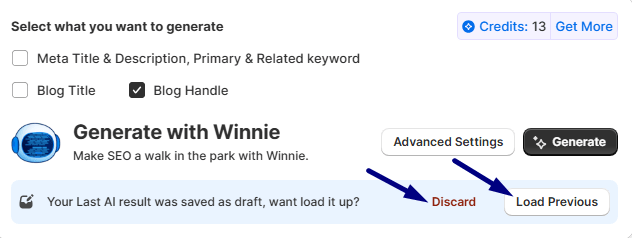
Load Previous: Hit this if you want to rewind! Bring back the suggestions from before your last change.
Discard: Need a fresh start? Discard clears everything on the left so you can begin from scratch.
Advanced Settings
Want more control? Tap Advanced Settings to fine-tune your content.
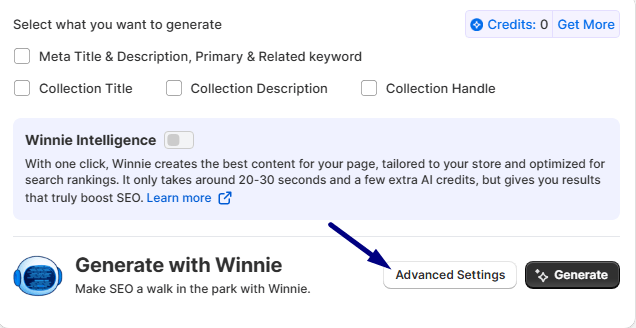
You can set tone, language, audience country, niche, purpose, target audience, or even drop in special instructions. The AI will shape your SEO content exactly how you need it.
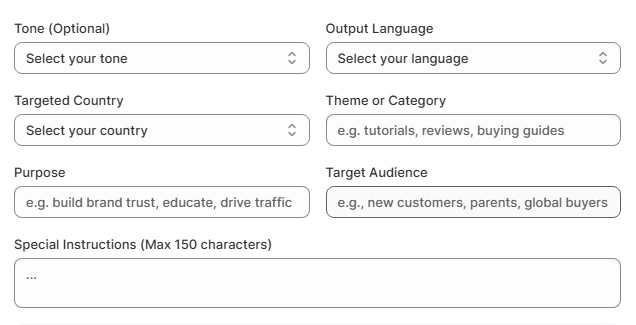
NOTE: Use Advanced Settings only if you’re confident in crafting effective prompts and understanding AI behavior. Selecting mismatched tones or audience types can result in off-brand, inaccurate, or low-performing outputs.
Winnie Intelligence
Think of Winnie as your smart SEO buddy. It finds the right keywords, writes killer titles and descriptions, and frees you up to focus on growing your blog.
And that’s it! With WinnSEO AI, optimizing blog pages is quick, stress-free, and effective. You’re all set to boost your SEO and get more eyes on your posts.
