
WinnSEO takes care fully when it comes to handling your website’s SEO stuff.
Whether you are making a quick SEO backup, just doing some big-picture edits, or migrating from another SEO app to ours ( you won’t lose your metadata) no sweat! The app offers an Import/Export feature that makes it super easy.
We’ve outlined the steps to utilizing the feature; check it out.
Table of Contents
Import/Export SEO Data
To import or export data using WinnSEO, follow these steps:
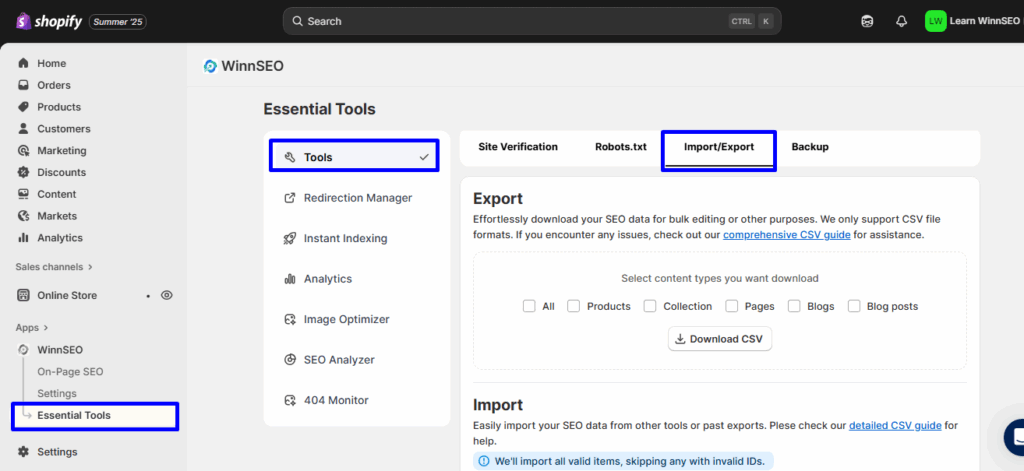
- Under the WinnSEO menu, click on Essential Tools
- See Tools is selected in the sub-navigation
- Click on the Import/Export tab
Export Data
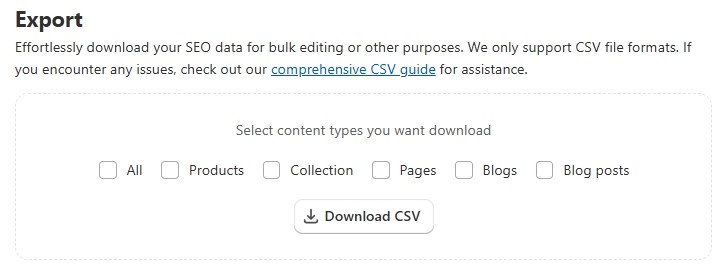
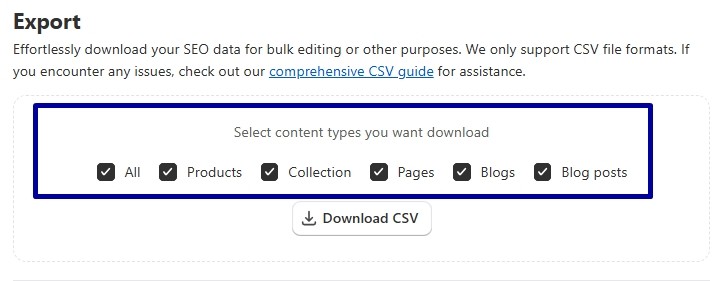
- In the Export section, you can choose the content types you want to download by checking the relevant boxes. Like all metadata, products metadata, collection’s metadata, blogs’ metadata and so on.
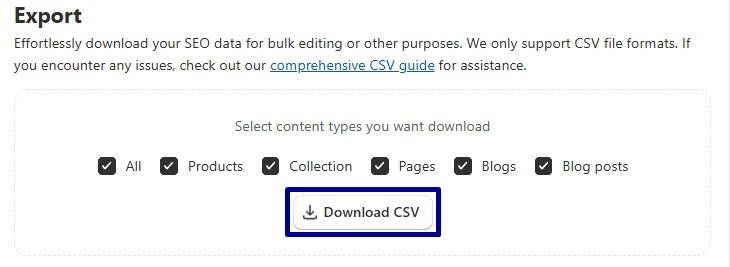
- Click the Download CSV button to export the data of the selected content types.
Import Data
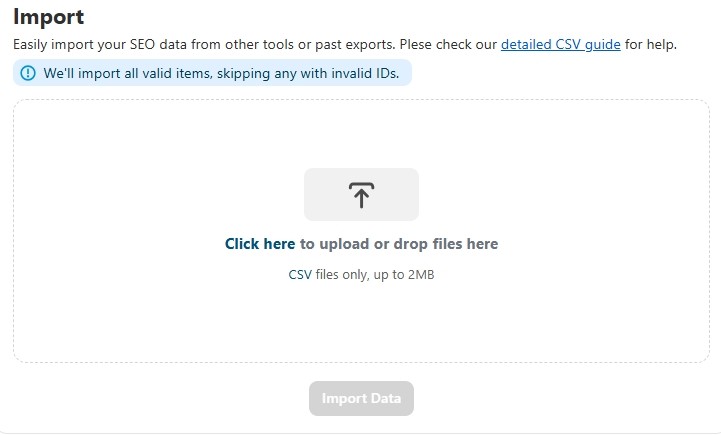
In the Import section, you have to click on the area that says Click here to upload or drop files here.
CSV File Format to Import Data
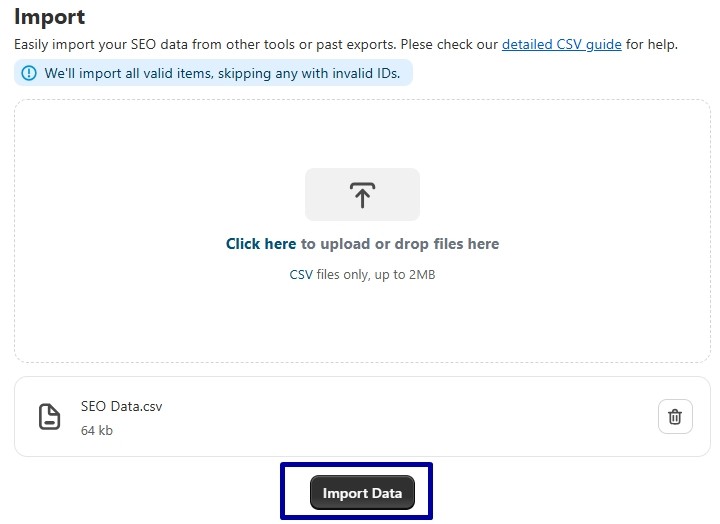
Let’s discuss the sequence of CSV file below –
ID
Think of the content’s ID as your Shopify store’s special way of identifying each specific product or page or others. It’s like its own unique number, typically an integer. The formats would be:
- Collection: gid://shopify/Collection/<unique iD numbers>
- Pages: gid://shopify/Page/<unique iD numbers>
- Products: gid://shopify/Product/<unique iD numbers>
- Blogs: gid://shopify/Blog/<unique iD numbers>
- Blog Posts: gid://shopify/Article/<unique iD numbers>
Handle
It’s the URL of your products, pages, blog posts, collections and blogs. For example, product-name-example or blog-post-title. The column name is handle.
SEO Title
You can notice a title clearly in search engine results as the clickable blue link and also appears in the browser tab.
The title should be plain text, the column name is seo_title.
Meta Description
It’s a brief summary of the product, collection, blog or others. The format is pretty simple, it should just be plain text. And the column name is meta_description.
Facebook Title
This is the main, bold headline that shows up when you share a link on Facebook. It’s a plain text and easy to set. Think something like: “Leather Office Bag XL ” and the column name is facebook_title.

Facebook Description
It’s the summary of your link’s content that Facebook displays. The column name is facebook_description.

Facebook Image
This is the visual star of your Facebook share! It’s the main picture that appears when you post a link. You have to insert an URL of your chosen picture. The column name is facebook_image.
For example: https://yourstore.com/images/leather-bag-xl-fb-ad.jpg
X (formerly Twitter) Title
This title will appear when you share the product/page in X(Twitter). The column name is, x_title.

X (Twitter) Description
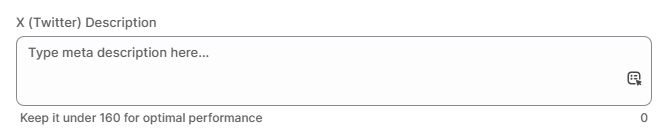
This is the brief summary that will appear when the user will share the product/page in X (Twitter). The column name is x_description.
X (Twitter) Image
When you share a link on X, you can control the preview image that appears. To manage this via CSV, use the column name x_image.
For instance: https://yourstore.com/images/leather-bag-xl-x-post.jpg
Advanced Robots
It lets you control advanced instructions for search engine robots (crawlers) regarding how they should interact with your page. The column name is advanced_robots and the format in the CSV file:
max-snippet=-1, max-video-preview=-1, max-image-preview=large
max snippet: This meta tag lets you decide how many characters show up in the search result snippet for your page. Set it to “-1” if you want to go wild and show everything with no limit.
max video preview: This one’s for videos! It controls how many seconds of a video snippet appear in search results. Pop in -1 for no time limit, letting the full clip shine.
max image preview: This tag sets the vibe for image previews in search results. You can pick “large” for big, bold images, standard for something more low-key, or none if you’d rather skip the image altogether.
Robots Meta
Think of the robots_meta column as a little note you leave for search engine robots like Google’s!. It tells them exactly what you’d like them to do with your webpage. Do you want them to show it in search results? Follow the links on it? Give a little preview of your content?
Common values include noindex, nofollow, nosnippet, etc. and the column name is robots_meta
NOTE: If your product, collection, pages or blog posts are set to index, you can keep this field blank.
Canonical URL
The canonical URL specifies the “master” version of a page when there are multiple similar or identical pages. This must be a full, absolute URL, including the http:// or https:// protocol and the domain, like https://www.yourstore.com/products/your-product-name.
The column name is canonical.
Focus Key / Focus Keyword(s)
These are the primary and relevant keywords for which you are optimizing the specific product, page, or post. The format is a comma-separated list of keywords, for example, blue running shoes, lightweight sneakers, men’s athletic footwear. The first keyword is the primary one and others are considered as secondary keywords. Here , the column name is focus_keyword.
This is how you can effortlessly move your SEO data in and out of WinnSEO using simple CSV files.
