LLMs.txt is your website’s VIP Pass for AI models like ChatGPT, Gemini, Perplexity, Claude, and other LLM-based platforms.
It’s a proposed web standard file (similar to robots.txt) that lets website owners control how Large Language Models (LLMs) access, interpret, and use their website content.
In simpler terms — it’s a clean text file at your store’s root that tells AI which content is most important and how it’s structured. This helps AI systems find, understand, and cite your information accurately, boosting your brand visibility in AI-powered searches.
Table of Contents
Why LLMs.txt is Awesome for Your Site
When used correctly, LLMs.txt gives your website a real advantage in the new era of AI-powered discovery:
- It gives AI models like Gemini, ChatGPT, Perplexity a cheat sheet to your Pages. No more digging through confusing website code!
- It ensures they cite your information correctly and accurately when answering a user’s question. This means more credit for you!
- Increase the chances of being included in AI-powered search results.
- You get to tell the AI what to prioritize, like your main docs or FAQ, and what they can skip.
- Basically, it makes your site super easy for AI to understand, which is key as more people use chatbots for info!
How LLMs.txt Works in WinnSEO
WinnSEO automates the creation and management of the LLMs.txt file directly from your Shopify dashboard.
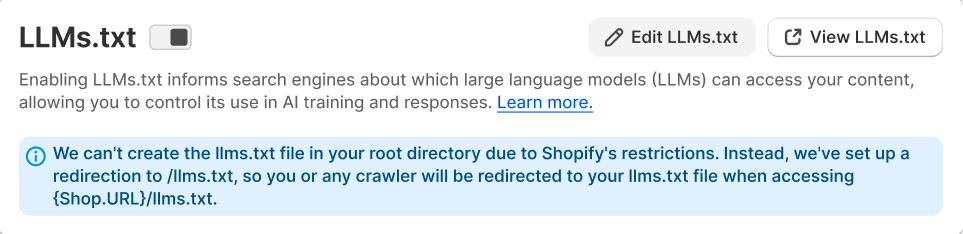
Since Shopify doesn’t allow file uploads in the root directory, WinnSEO intelligently sets up a redirect to ensure LLM crawlers can still access your file at:
“https://yourstore.com/llms.txt”
All redirects are automatically handled—no coding required.
How to Create and Manage LLMs.txt
- From the WinnSEO App, find the Essential tool
- Go to the Tools tab
- Select LLMs.txt
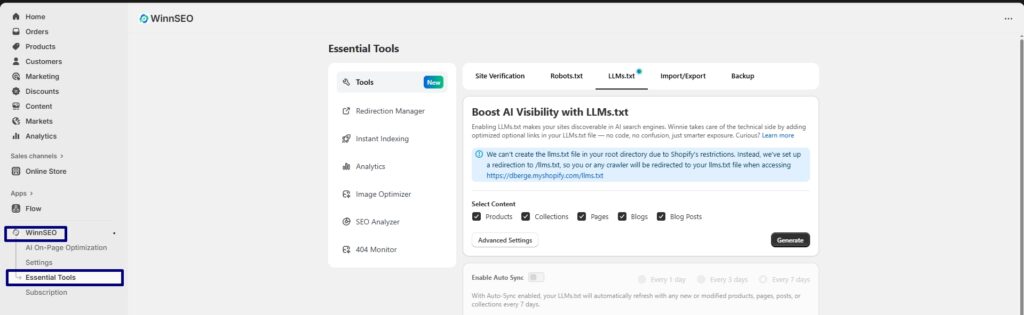
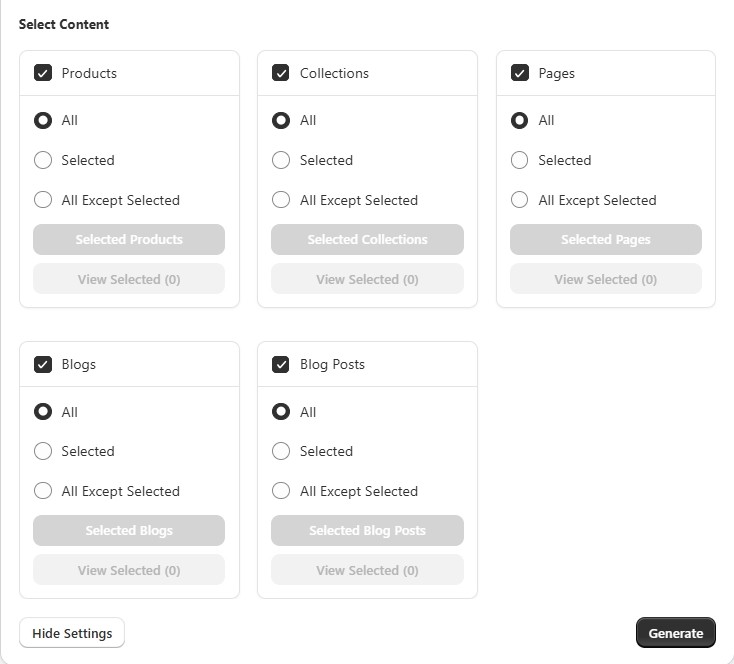
Advanced Settings & Select Content Options:
This is how you play content curator for the AI, choosing exactly what they get to see from your store’s sections like Products, Collections, Blog Posts, etc.
- All: Hey AI, check out everything in this category!
- Selected: Only focus on the hand-picked winners I chose here.
- All Except Selected: You can look at everything, just skip these few off-limits pages.
Say goodbye to confusion; the WinnSEO LLMs.txt tool makes optimizing your site for AI models incredibly simple.
The LLMs.txt Generation Process
During generation, you’ll see:
“Generating LLMs.txt — Winnie’s crafting optimized link descriptions for [X] URLs.”
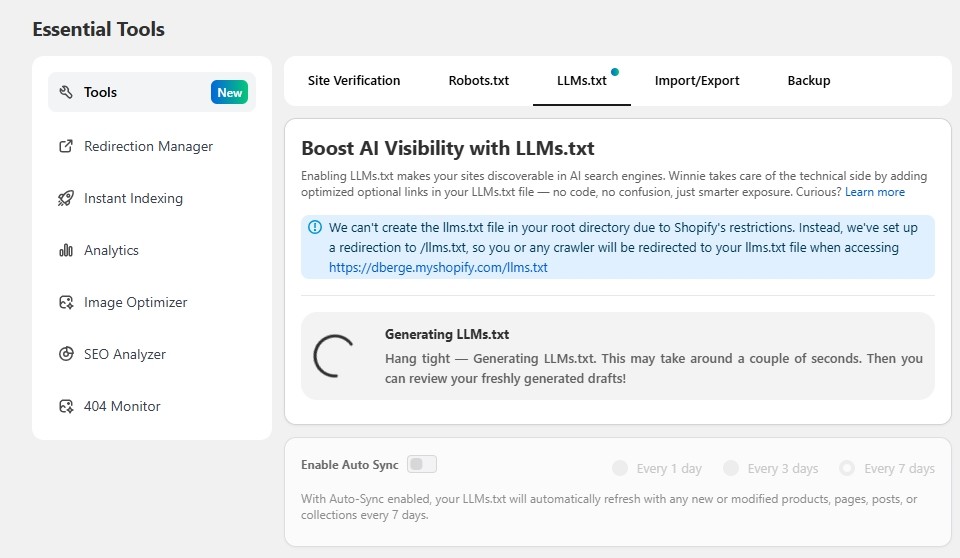
You can safely leave the page—Winnie keeps working in the background.
When ready, you’ll see a green success message:
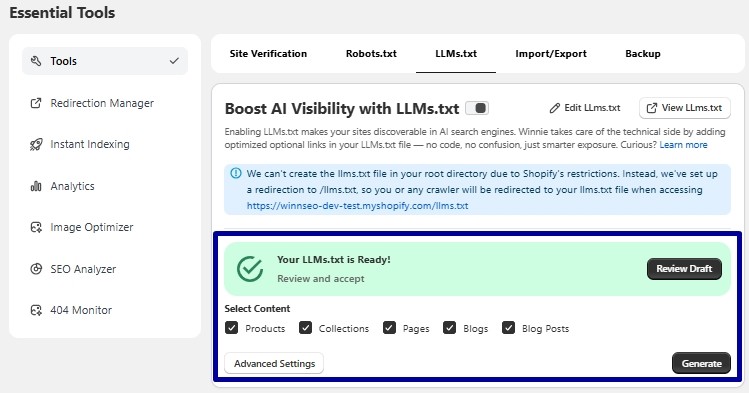
“Your LLMs.txt is Ready — Review and accept.”
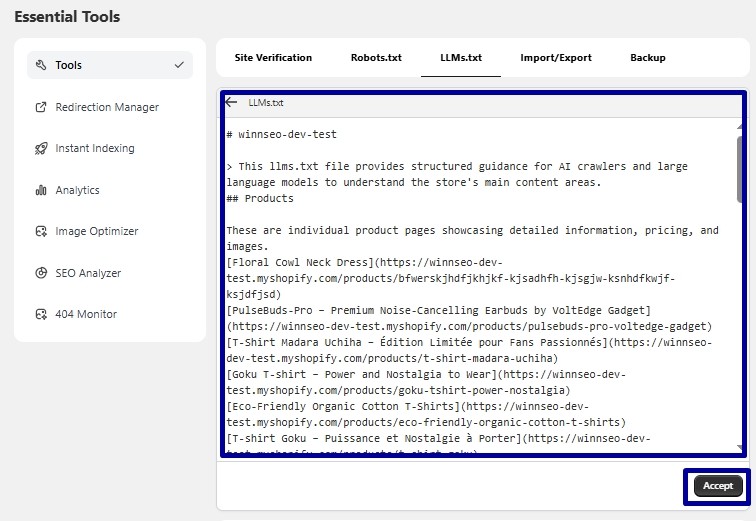
Then click Review Draft, edit if needed, and press Accept to finalize.
Enable Auto Sync
WinnSEO allows you to keep your LLMs.txt always updated with newly added or modified content.
Enable Auto-Sync to automatically regenerate your file every:
- 1 Day
- 3 Days
- 7 Days
When active, Winnie will automatically refresh your AI link descriptions whenever:
- Any new or modified products, collections, or pages trigger a refresh.
If AI credits are not available, the file will still refresh without new AI descriptions.

LLMs.txt Controls
- Enable/Disable: Simple on/off switch for the whole AI guide.
- Edit LLMs.txt: Need to add a super specific note to the AI? This lets you manually tweak the file.
- View LLMs.txt: Want to know exactly what the AI sees? This shows you the live file.
WinnSEO makes AI search optimization effortless for Shopify merchants.
With LLMs.txt, your store becomes AI-friendly, structured, and ready for the next generation of search engines.
👉 No code. No confusion. Just smarter exposure.
FAQ
Q1: What is LLMs.txt?
A proposed web standard that controls how LLMs like ChatGPT, Gemini, or Claude access and use your site’s data.
Q2: Why is it important?
Because AI search visibility is the new SEO frontier. Early adopters will gain stronger AI-driven exposure.
Q3: How does WinnSEO handle Shopify’s file restriction?
Shopify blocks writing files to the root directory, so WinnSEO creates an automatic redirect path that points /llms.txt to your generated file.
Q4: Can I edit my LLMs.txt manually?
Yes. After generation, click Edit LLMs.txt to modify or add your own directives.
Q5: Does it affect my SEO or site ranking?
No—this file doesn’t impact your traditional Google SEO. It’s specifically for AI model visibility.