
AI-powered Image Alt Text Optimization is one of the fastest ways to boost your Shopify store’s visibility, accessibility, and search relevance. With WinnSEO’s Advanced AI SEO Agent, you can bulk-generate clean, descriptive, keyword-rich alt text for every product, collection, and article image instantly and automatically.
In today’s AI-driven search environment, optimized alt text is essential. It strengthens your on-page SEO, helps Google understand your products, increases visibility in Google Images, and improves accessibility for every visitor. WinnSEO makes the entire process effortless.
Table of Contents
Why Image Alt Text Matters for Shopify SEO
Google relies on alt text to understand what your images represent. Shopify merchants who ignore this are leaving search traffic, conversions, and accessibility on the table. Here’s why alt text is essential:
1. Improves Google Image Search Rankings
Images with clear, keyword-focused descriptions rank significantly higher in Google Images, bringing highly commercial traffic to your store.
2. Strengthens On-Page SEO Signals
Alt text helps Google understand the context, meaning, and relevance of your product pages, collections, and blog posts.
3. Enhances Product Discoverability in Search & Shopping
Alt text adds semantic meaning to your product assets. This improves your search alignment and increases the likelihood of appearing in shopping results.
4. Boosts Accessibility & Customer Experience
Screen readers rely on alt text to describe images for visually impaired users. Google rewards accessible websites.
5. Increases AI Search Visibility
Tools like ChatGPT, Perplexity, and Gemini rely heavily on structured metadata. Descriptive alt text helps them understand your product catalog.
WinnSEO takes this critical SEO task and automates it with precision.
How WinnSEO AI Bulk Image Alt Text Optimization Works
WinnSEO’s AI SEO Agent analyzes your product, collection, and article images and it generates rich, natural, keyword-dense alt text descriptions in bulk.
This includes:
- Identifying the product category
- Understanding the image visually and contextually
- Adding relevant commercial keywords
- Keeping descriptions human, readable, and compliant with SEO best practices
All without editing a single image manually.
How to Optimize All Product Image Alt Text
Inside the WinnSEO App:
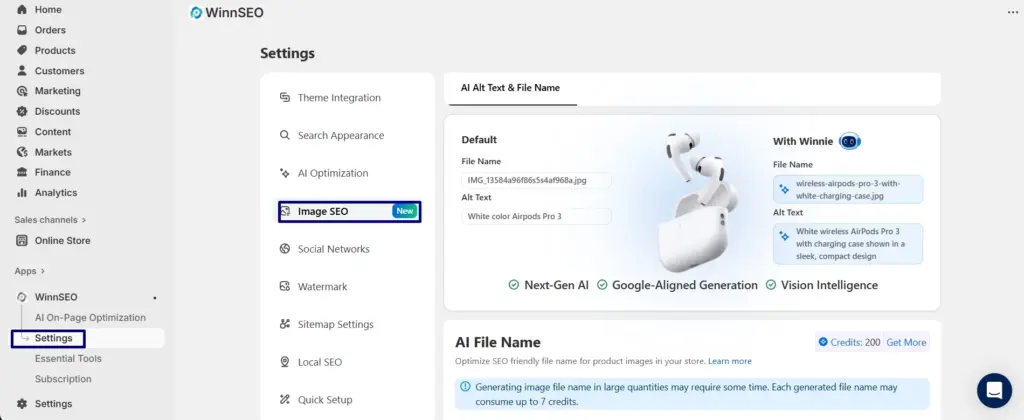
1. Open the Image SEO Section
Navigate to WinnSEO → Settinng → Image SEO.
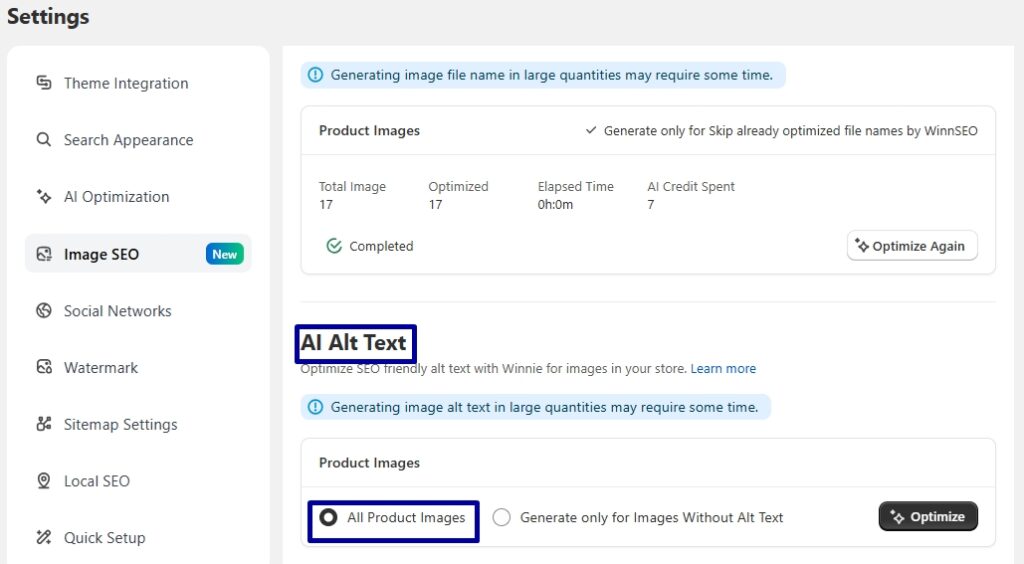
2. Check “All Product Image”
This selects every product image in your Shopify store for optimization.
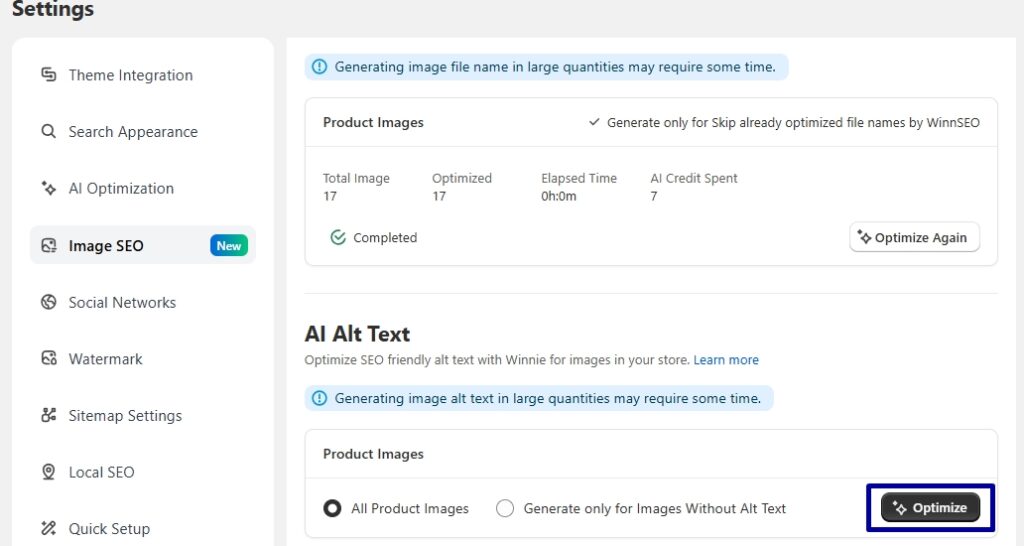
3. Click “Optimize”
WinnSEO’s AI begins bulk-generating optimized alt text automatically.
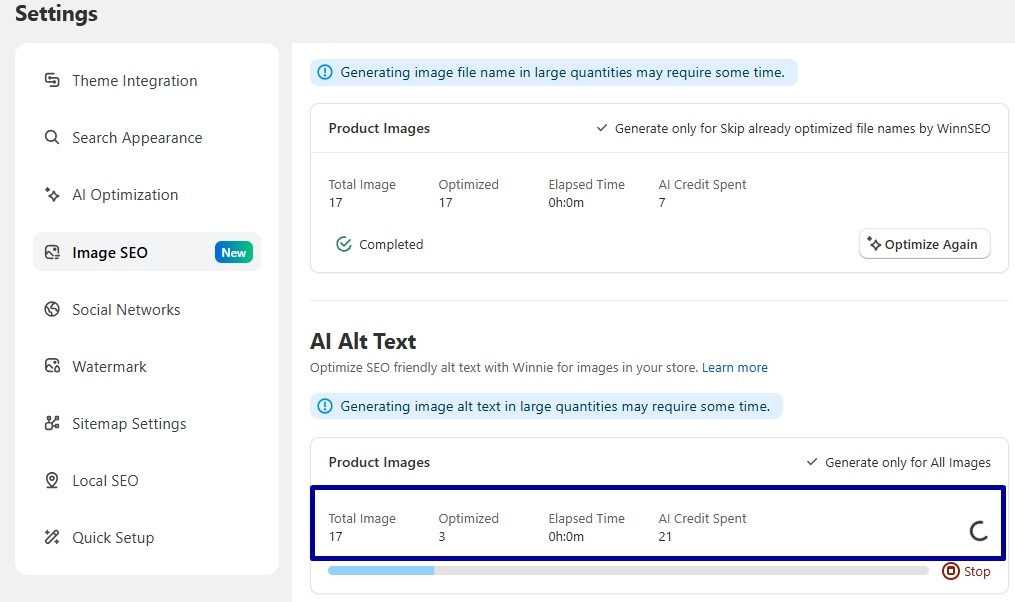
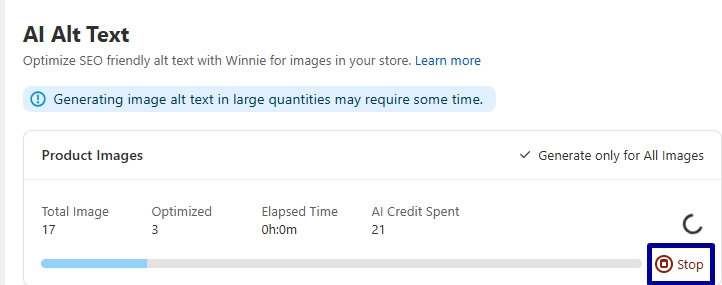
During the process, you’ll see:
- Total number of images
- Number of images optimized
- Estimated completion time
- AI credits required and consumed
4. Cancel Optimization Anytime
Click Stop if needed.
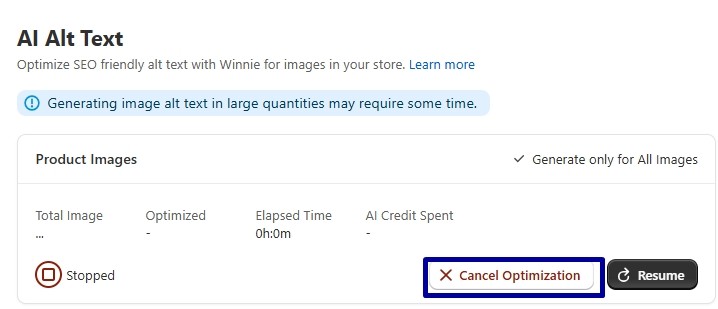
Press “Cancel Optimization”
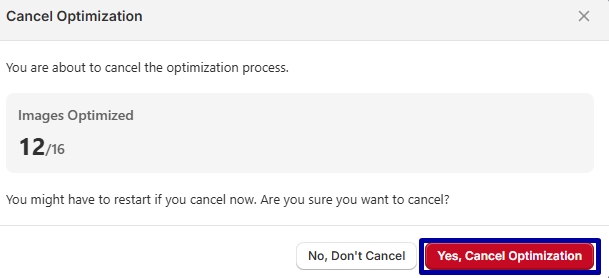
A confirmation modal appears showing how many images have been optimized so far.
Click Yes, Cancel Optimization to stop the process immediately.
This is safe and non-disruptive to your store.
How to Optimize Collection Image Alt Text
Collections also influence Shopify SEO and often contain ignored images.
To optimize them:

- Check All Collection Images
- Click Optimize
- Watch WinnSEO generate SEO-rich alt text automatically
All progress tracking and cancellation features work the same as product image optimization.
How to Optimize Blog Article Image Alt Text
Your Shopify blog is a major SEO asset, and its images contribute to topic relevance.
To optimize all article images:

- Check All Article Images
- Click Optimize
- WinnSEO generates alt text for each article image in bulk
This ensures your blog content is fully optimized for organic search and AI indexing.
Generate Only Missing Alt Text
If your store already has partial alt text coverage, you can avoid overwriting your existing work.
Just Enable ✔ Generate only for images without alt text

This ensures WinnSEO only fills in gaps, perfect for SEO maintenance or incremental optimization.
The Optimization Process Explained
As WinnSEO works, you’ll see:
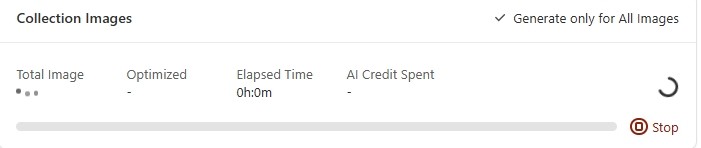
“Optimizing Alt Text, Winnie is creating descriptive, SEO-friendly text for your images.”
You can safely:
- Switch to other pages
- Close the tab
- Continue working in Shopify
Winnie completes the job in the background.
When finished, you’ll see:
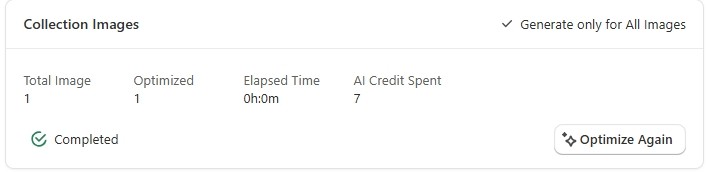
“Completed”
All selected images now have fresh, detailed, keyword-optimized alt text—fully aligned with Shopify SEO best practices.
How to Verify Image Alt Text in Shopify
You can confirm the updated alt text directly inside your Shopify dashboard:
Steps to check:
- Go to Products
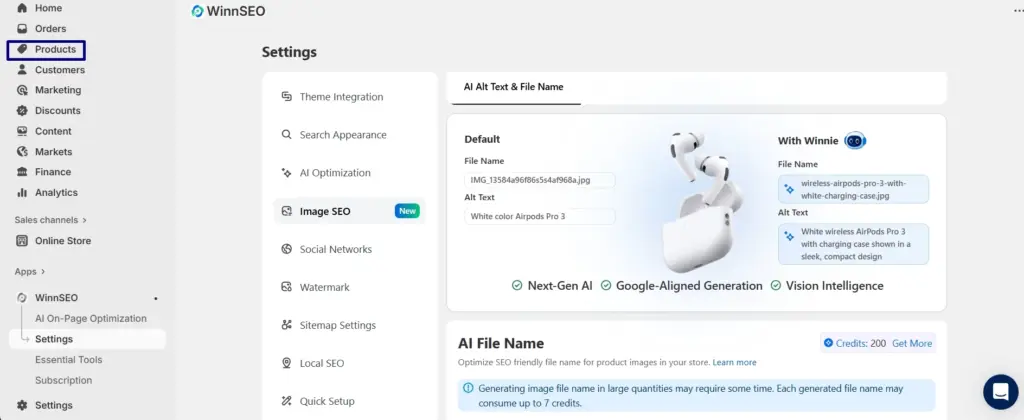
2. Select any product
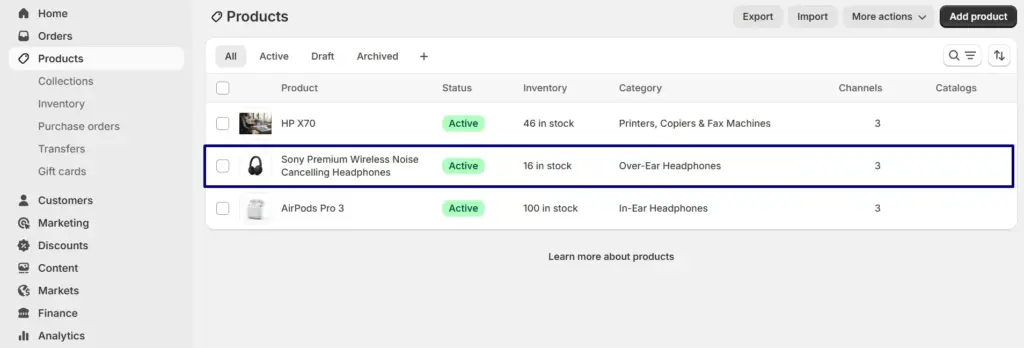
- Click on the product image
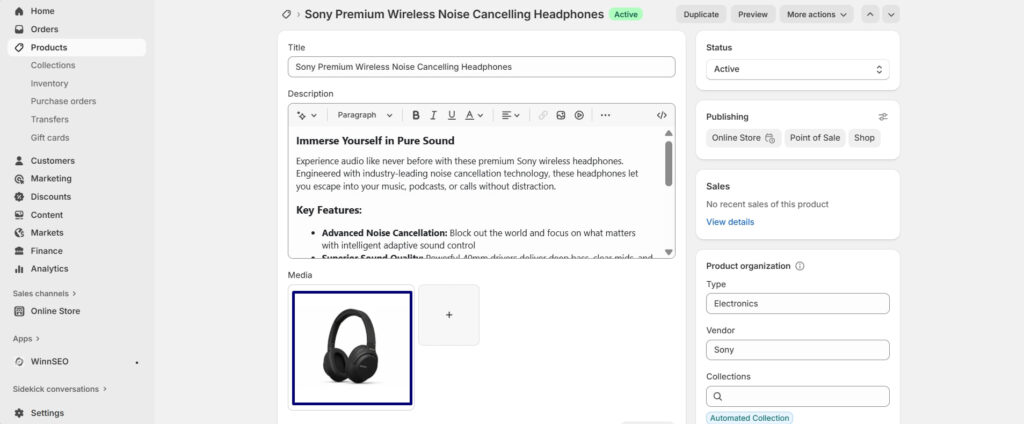
3. Shopify displays the Alt Text on the top-right
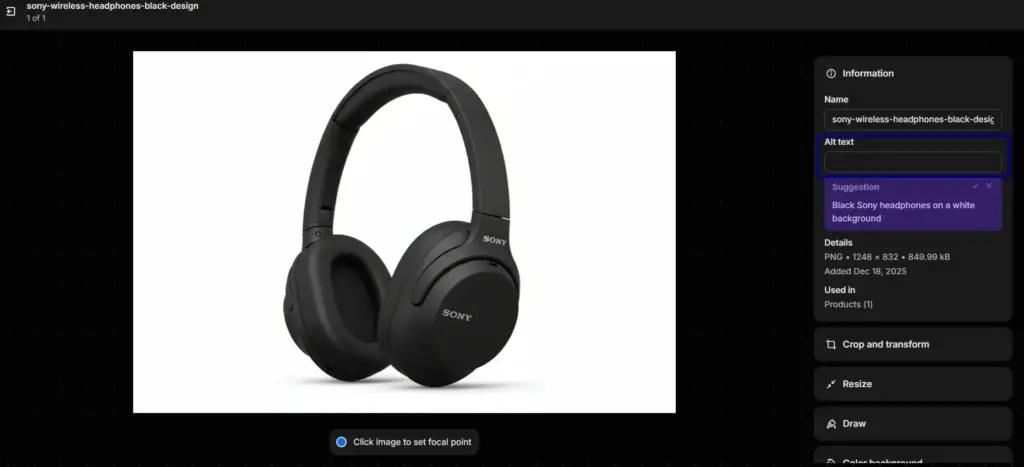
Before Optimization:
Alt Text: “” (empty)
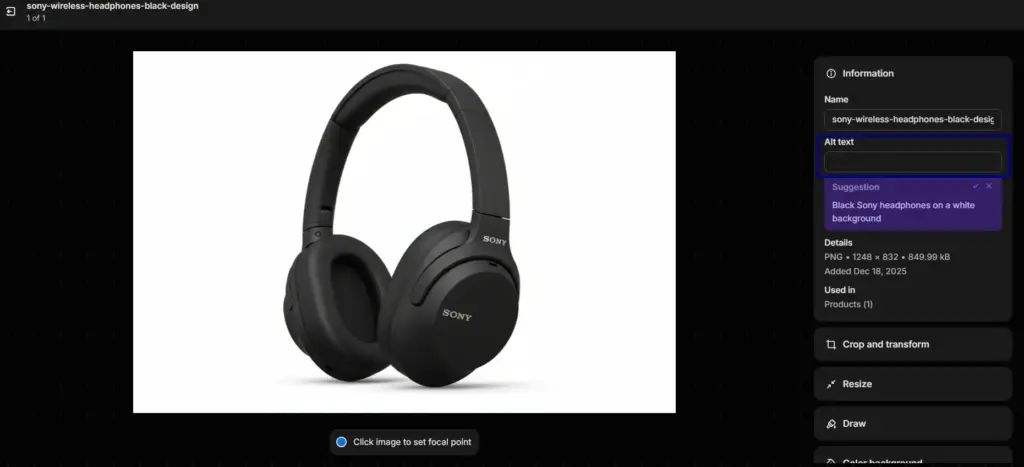
After WinnSEO AI Optimization:
Alt Text: “Sony wireless headphones with sleek black design and cushioned ear cups.”
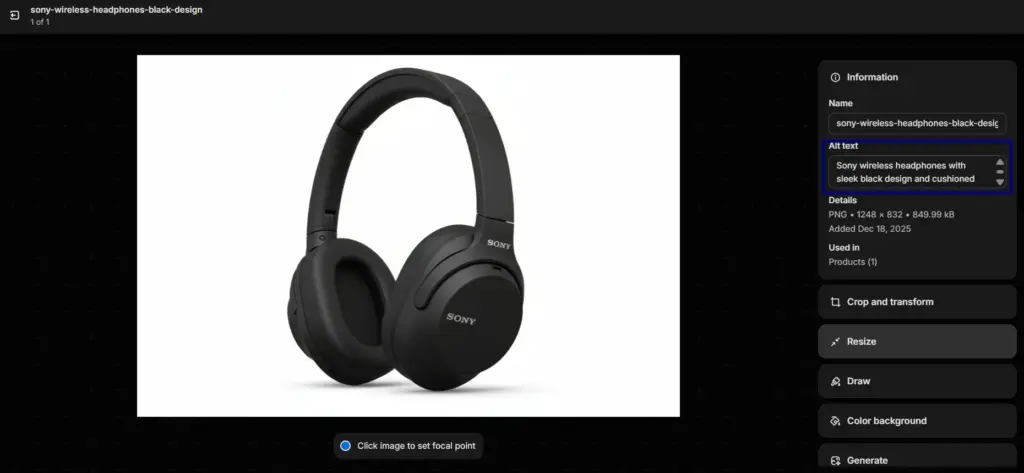
Clean, descriptive, keyword-rich, and ready to improve your rankings.
FAQ
Q1. Does WinnSEO overwrite existing alt text?
Only if you choose full optimization.
Use Generate only missing alt text to protect existing descriptions.
Q2. Does this improve Shopify SEO?
Yes, alt text directly influences Google Image Search, page relevance, and accessibility signals.
Q3. Does it work for products, collections, and blog images?
Yes, WinnSEO supports bulk optimization for all three.
Q4. Does this require coding?
No. Everything is 100% automated.
Q5. Does optimization consume AI credits?
Yes. WinnSEO displays the estimated and actual credits used during the process.
