


Visuals speak volumes, especially in the world of online shopping.
For your Shopify store, compelling product images aren’t just eye candy. They empower your SEO success. If you give the images a little strategic love, they can elevate your store’s visibility and attract more customers. 🤩
In this article, we’ll discuss how you can optimize Shopify images to drive more profit.
Let’s start.
Table of Contents
The Multifaceted Importance of Images for SEO
75% of online shoppers rely on product photos to make purchasing decisions.
(Source: businessdasher.com)
For online shopping, there is no chance to touch an item and see it as you wish. So online shoppers prefer good-quality photos of their desired items. It is those nice and clear images of the products that make a Shopify store an attractive online shop.
However, the first step of noticing those beautiful images is to find them, right? That’s where Search Engine Optimization, or SEO, becomes essential. SEO is the art and science of making your store easily discoverable for search engines like Google. This ultimately leads more people to your virtual doorstep.
So, don’t just upload pretty pictures; let them play a significant role in how search engines perceive and rank your store.
You can also check out Google image SEO best practices. Implementing these will provide you with more insights to optimize your visuals.
Simple Steps to Optimize Your Shopify Images
You know what’s the Good news?
Optimizing product images for SEO doesn’t require extensive technical knowledge. Here are some really easy steps you can implement today:
Prioritize High-Quality Visuals
Most visitors immediately check the product images after arriving on the product detail pages. Thus, they do a visual evaluation of your products. If the pictures are blurry, show only one angle, and don’t actually look appealing, it may hamper your sales.
We suggest you invest in high-resolution photos. Try to use clear, well-lit, and professional-looking product photos. It’ll help you accurately represent your offerings.
Be Smart with File Names
Adopt a consistent practice of renaming your image files using descriptive and keyword-rich terms. This way, you can organize your own files, and search engines will clearly understand what the image shows.
For a simple example, instead of saving a picture of a leather vintage handbag as “IMG_4782.jpg,” a more insightful filename would be “vintage-leather-handbag.jpg.”
The file name is clear and provides valuable context to search engines. It’ll eventually contribute to better indexing and potential ranking.
Never Skip Alt Text
Do you add alt text to your product images? Alternative Text or Alt Text is a brief written description of an image on a website. Imagine you have an image of a “A crystal glass of orange juice with ice cubes is held against a blue background by a person wearing a white linen shirt.”

So, the proper ALT text would be: Orange juice with ice in a crystal glass held by a person in a white shirt against a blue background.
It’s another important step to optimize the images.
- Alt text tells search engines what your image is about, as they can’t “see” like humans.
- You should use relevant keywords as alt text. People might search with these keywords to help your images appear in the SERP.
- Well-crafted alt text increases the chances of your product images showing up in both web and image searches.
- Alt text also helps visually impaired users understand your images via screen readers.
It’s a very small effort with significant SEO and accessibility benefits for your Shopify store.
However, Shopify offers an easy feature to add ALT text to your products:
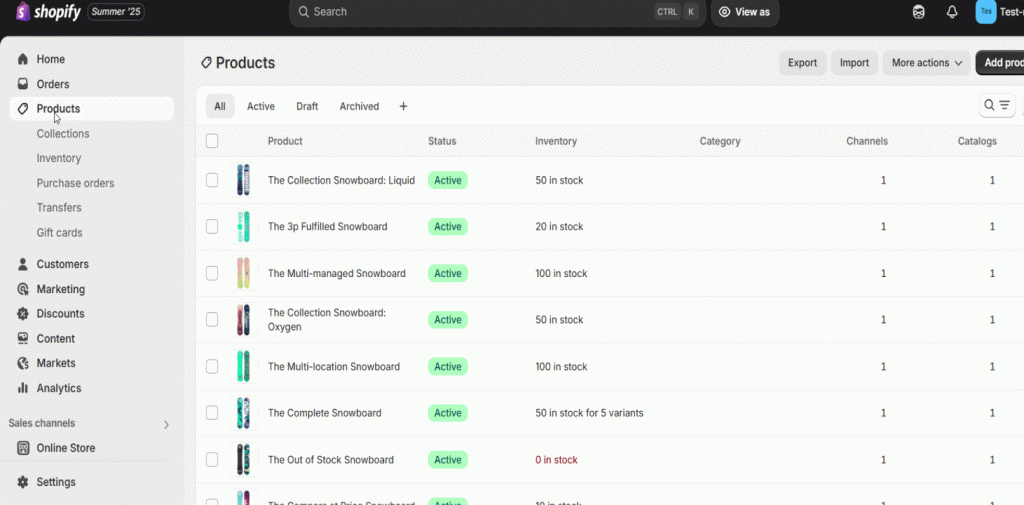
To make sure your alt text is as effective as possible, let’s follow Google’s instructions 👉 Write helpful alt text
Optimize Image Dimensions
In Shopify, resizing images according to the appropriate dimensions for their intended display is necessary. For square product photos, the size is 2048 x 2048 px. However, Shopify automatically resizes large images and displays them best format available.
You can learn more in Shopify’s product media types guide.
Some tips for you:
- Consider manually optimizing images to prevent blurring and maintain picture quality.
- JPEG, PNG image formats are best for the Shopify platform. Shopify also supports the WebP image format, which is highly efficient.
- A few image resizer tools: Shopify’s image resizer or Canva, GIMP, and Photoshop.
- For banners, collections, slideshows, etc. Shopify has many image size requirements. Check them carefully and work accordingly.
- Be consistent with your image style, it’ll create a cohesive brand look.
- Don’t forget to test the images on different devices.
Do You Compress the Images for Better Speed?
Don’t confuse image compression with image resizing. Compression reduces the file size of an image, but if you don’t resize the image, the dimensions will remain the same. Let’s talk about compression.
Compression reduces any file size by using algorithms to eliminate redundant or less important data. There are two main types –
Lossy Compression – Deletes some image data permanently. This greatly reduces file size but can lower quality if used too much (e.g., JPEG). Also, it often removes details less noticeable to the eye.
Lossless Compression – Reduces file size without losing any data. The main image can be perfectly restored (e.g., PNG, GIF). Compared to lossy compression, it usually results in smaller file size reductions than lossy compression.
However, compressed images reduce load time, easing your visitors’ struggle. You must compress the images, especially if there are multiple images on the page. It’ll improve the user experience and increase your SEO rankings. You can find various image optimization tools like TinyPNG, Compressor.io, Squoosh, etc.
Make Unique Photos
Originality is the gold standard. 👌
We recommend you use your own original product photographs to decorate your store. Don’t rely on generic stock images; these often lack authenticity and can feel impersonal to your customers. Uncommon and top-quality visuals, captured specifically for your products, can significantly help your brand stand out from the competition.
Moreover, originality helps to build trust with potential buyers. The authentic images allow customers to see the true details and character of your items. So, give effort in making genuine product photos whenever feasible.
Implement Lazy Loading
Lazy loading is a technique that helps to load your images faster. It also takes care of your overall website performance. It works like this:
1. Initial Load: When you first visit a page, only the images that are immediately visible are loaded.
2. Placeholder: The browser might render a placeholder like a grey box or a low-resolution version of those images that are not initially visible.
3. Scroll Detection: As you scroll down the page, JavaScript or browser-native lazy loading detects when an off-screen image is approaching the viewport.
4. Image Load: Just before the image becomes visible, the browser loads the actual image.
You can implement lazy loading using the simple loading=”lazy” attribute directly in your <img> tags for the latest browsers. For old browser support and more control, use JavaScript libraries like Lozad.js. But you have to sure that above-the-fold images load normally for the best initial experience.
Submit Your Images to Image Sitemap
An image sitemap is a specific type of XML file that lists all the images on your website’s pages. It provides search engines like Google with more information about your images. Thus, the images become discoverable, crawlable, and indexable more effectively.
Shopify adds images in its default sitemap.xml, covering basic SEO. However, creating a personalized image sitemap ensures Google discovers all your key product visuals. This targeted approach is effective for maximizing the product catalog’s reach.
Read out these two useful guidelines by Google:
👉 Image sitemaps
👉 Adding Images to your Sitemaps
Images Should be Mobile Responsive
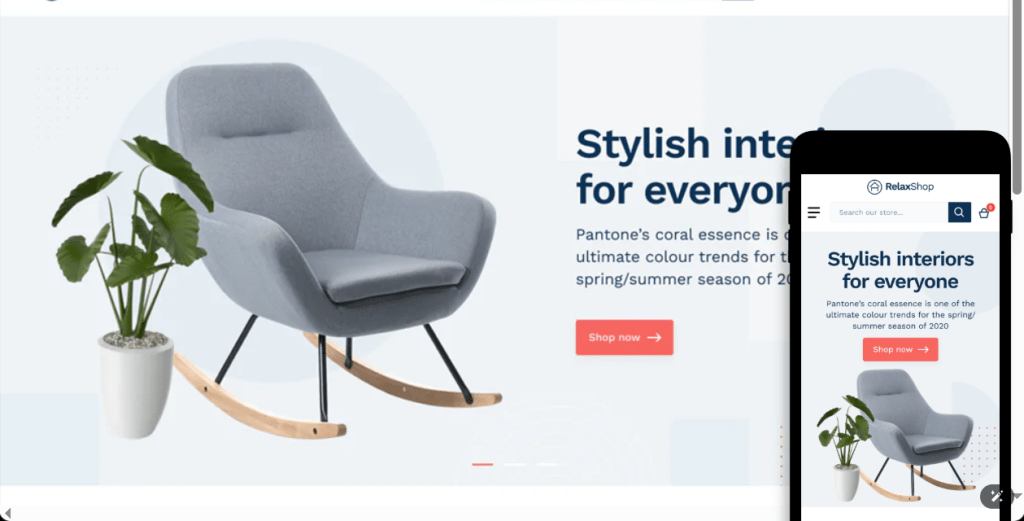
Your product photos must look great on any small screens, like mobiles and tablets. It provides a smooth shopping experience for every user.
For example, a mobile-unfriendly image may look too large, causing horizontal scrolling and making it hard to view on the mobile screen. Also, you may find details appear very small, and the page layout looks broken and unprofessional. Eventually, these things’ll lead to a frustrating experience and potentially lost sales.
Find out the optimal image size guidelines in Shopify’s recent blog: Website Image Size Guidelines
In Conclusion
Optimizing your images is an often-overlooked yet incredibly effective way to boost your Shopify store’s SEO. It’s easy to learn the basics and implement. So, take that extra moment to improve your images. It’s an investment that can yield significant returns.