
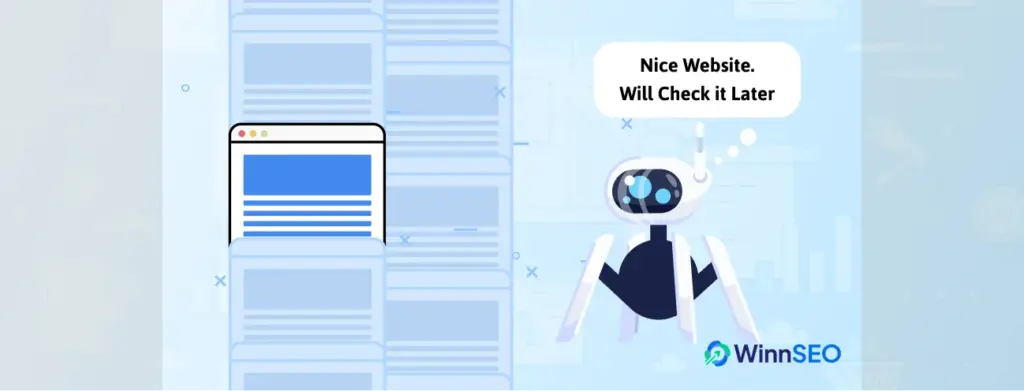

“Discovered” simply means Google’s bots have found your page’s address. 🔎
Like Google whispers, “Okay, I see you over there!” 👍
So, why isn’t it indexed yet?
Exactly! Because Google first discovers your pages, then crawls them, and finally indexes the content.
Let’s keep this in mind as we dive into why Google might be taking its time with that second step! We’ll also explain what you should do.
Keep reading…
What’s the Deal with ‘Discovered – Not Indexed’?
You might know a new cafe is open, or there are a few great restaurants nearby. But you haven’t gone inside to check them out yet.
Possible, right?
Well, Google works the same way. It found your page’s link, maybe through your sitemap, another website, or any other way. But it hasn’t visited the page to read its content yet.
The key takeaway: Google knows about your page but hasn’t prioritized crawling and adding it to its search list (index).
It’s not an error. Google needs time. 👍
Why is Google Saying ‘Discovered – Not Indexed’? (Common Reasons)
Several factors can lead to ‘Discovered – Not Indexed’? status. Understanding the reasons is the first step towards finding a solution:
- Crawling Budget Issues: Google gives your site a “crawl budget”. It is basically a limit on how many pages it’ll bother checking in a certain time frame.
Not clear?
Let me explain: If you have a large site or have created multiple new pages, Google might not see them as urgent. On the other hand, crawl budget is very limited for small websites initially and it grows over time.
Remember 👉 If there are too many small pages, Google may question their value and consider whether some should be merged for better clarity. This can slow down crawling and indexing.- Content Quality Concerns: Google prefers indexing content that’s unique and genuinely useful to readers. If your page is super thin, irrelevant to the site, copied from somewhere else, or just not that interesting, Google might put it on the back burner. It’ll focus on better stuff first.
No need to be stressed!
We’ve also discussed the solutions below..
- Technical SEO Problems: Technical issues can hinder Googlebot’s ability to crawl your site efficiently:
- Poor Website Speed: Slow-loading pages can exhaust the crawl budget.
- Long Redirect Chains: Multiple redirects in a row can slow down crawling and waste crawl budget. For instance, A visitor tries to go to Page A, but Page A redirects to Page B, then Page B redirects to Page C, and finally Page C redirects to Page D. This kind of back-and-forth slows things down and makes search engines work harder.
👉 Get a better understanding of Redirects and Google Search - Broken Internal Links: These can disrupt the flow of crawl equity and make it harder for the crawler to discover new pages.
- Did You Submit a Sitemap?: A sitemap plays a key role in helping search engines crawl and index your pages.
If you already have a sitemap, check if it’s outdated and update it accordingly. - Check Mobile Responsiveness: Google prioritizes mobile-first indexing. If your site isn’t easy to navigate or read on smaller screens, Google might hold back on indexing it altogether. So, a poorly designed mobile site can be a barrier.
- New Website/Content: It simply takes time for Google to discover and process new
websites and individual pages. Be patient, especially if your site is relatively new.
In essence, the search engine might notice them but not actually visit them right away.
Think of it like Google saying, “Cool, I’ll get to it… eventually.” 😎
Solutions for ‘Discovered – Not Indexed’ in Google Search Console
- Improve Internal Linking – How?
Did you know you can help Googlebot find and crawl important pages by linking to them from high-traffic ones?
Yes, link the ‘Discovered – Not Indexed’ page or pages with high-authority pages. Also, you can link it with other relevant pages on your site. - Waiting Isn’t Fun: Submit URLs Manually
The URL Inspection Tool in Search Console can help you request indexing for high-priority pages. - Optimize Your Shopify Store for Crawling & Indexing
- Create descriptive, SEO-friendly URLs: Clean URLs with keywords assist search engines understand what each page is about.
- Use canonical tags wisely: With canonical tags, search engines know which version of a page is the “main” one to index.
Don’t know how to specify a canonical URL❓
Check out this guide on how to specify a canonical URL using rel=”canonical” and other effective methods - Optimize collection and product page metadata: Unique titles and descriptions enhance visibility and indexing relevance.
- Compress and optimize product images: Large images slow down the load times. You should craft descriptive file names and ALT tags to help with image search indexing too.
- Boost Content Quality
As we said above, Google often ignores thin, duplicate, or low-value content. So, try to craft your unique, helpful, and well-structured content.
Don’t forget to keep updating old content. You can use the latest SEO tool, WinnSEO, to boost your site’s SEO performance. 🚀
- Tips to Save Your Crawl Budget!
If you have a large or heavy site, reduce unnecessary URLs (like filtered search pages or tag archives) and aim for a clean website structure.
💡 Did you know improved content encourages Google to increase the crawl budget?
Check this out 👉 Large site owner's guide to managing your crawl budget
🤔 Curious if Fixing ‘Discovered – Not Indexed’ Can Drive Sales?
Yep! If your important pages aren’t indexed, they won’t show up in searches. That means less traffic and fewer chances to make a sale.
Fixing ‘Discovered – Not Indexed’ helps Google actually see and show your pages, which can lead to More clicks → more visitors → more sales.
In Short: ‘Discovered – Not Indexed’
In a nutshell: You encountered “Discovered – Not Indexed,” and yep, it’s a little annoying, but totally normal. 😊
Google has discovered your page and it’s on the radar. Sometimes, a bit of patience is all it takes.
But if you spot any issues that we just discussed, fix those little things. The smoother the path, the quicker Google can roll out the red carpet.