
WinnSEO’s AI Optimization takes the stress out of optimizing your collections, helping them shine and get more eyes and clicks on your products.
It saves you time without the stress! Let’s jump in and see how you can make the most of it.
Table of Contents
How to use WinnSEO AI Optimization for Collections
We’ll guide you through the easy step-by-step process of setting up WinnSEO’s AI Optimization.
Select Collections
Start by heading over to the On-Page SEO section in the app, where you’ll see all the collections.
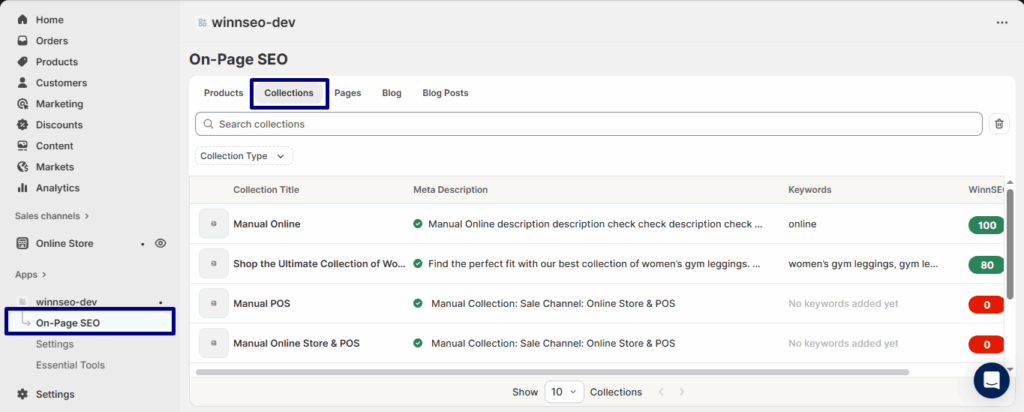
You’ve landed on the Shop the Ultimate Collection of Women’s Gym Leggings product page. Ready to make it even better? Click the Winnie icon and let optimization happen instantly.
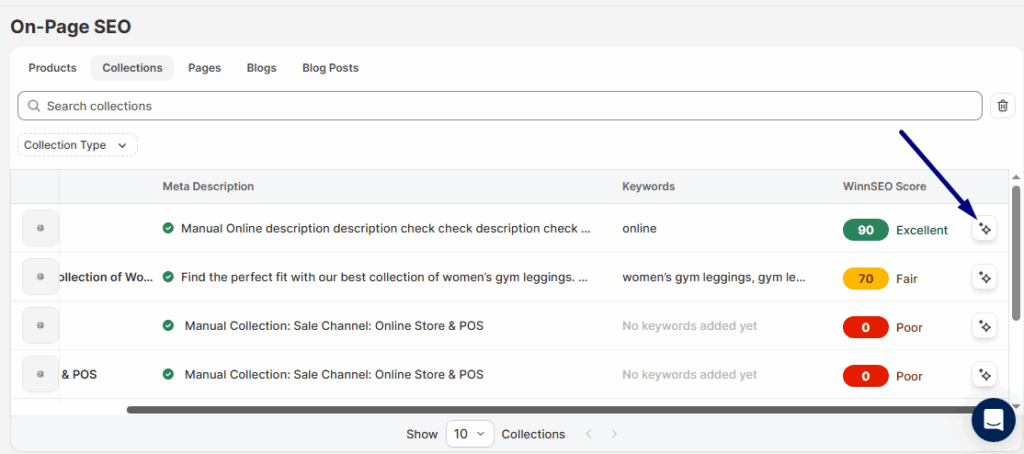
If you’d like to explore the settings yourself, just click on the collections, and you’ll be taken straight to its AI settings screen.
Checking out AI Optimization
The AI settings sit right at the top of the On-Page editor. Choose what you want to generate, and you’re good to go!
Checking out AI Optimization
The AI settings sit right at the top of the On-Page editor. Choose what you want to generate, and you’re good to go!
- Meta Title & Description, Keywords: Produce SEO-optimized titles, descriptions, and keyword ideas.
- Product Title: Generate an attention-grabbing, optimized name.
- Product Description: Write a compelling, SEO-focused description.
- Product Handle: Create a neat, search-friendly URL.
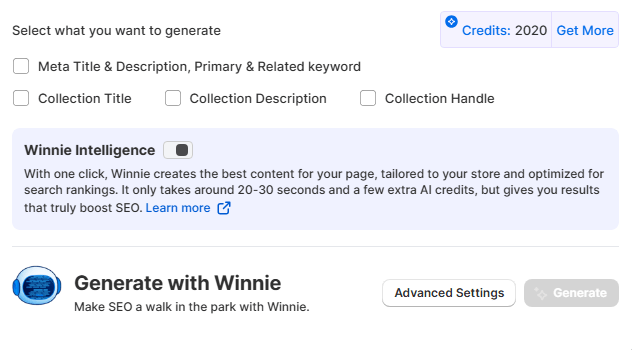
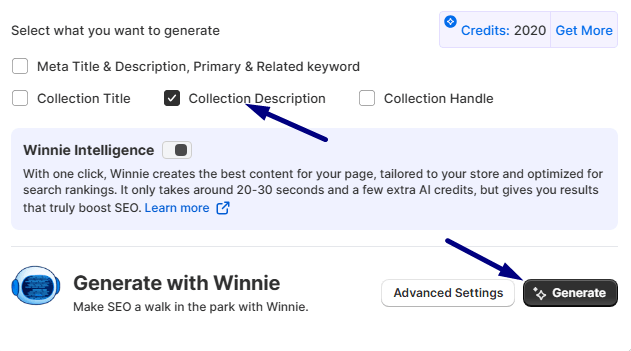
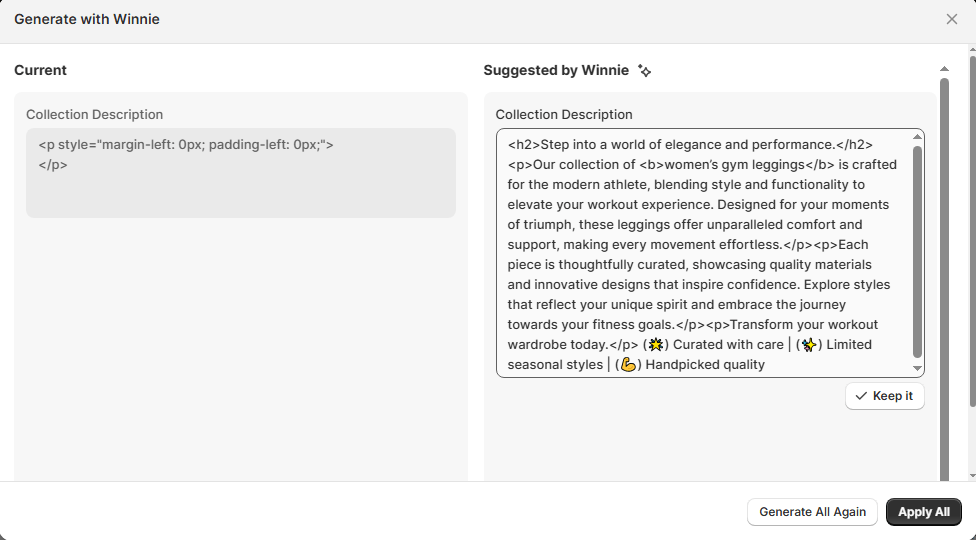
For instance, if you want to generate a collection description, just tick the box and hit Generate. Easy as that!
And here is our generated result –
Make Those Results Yours
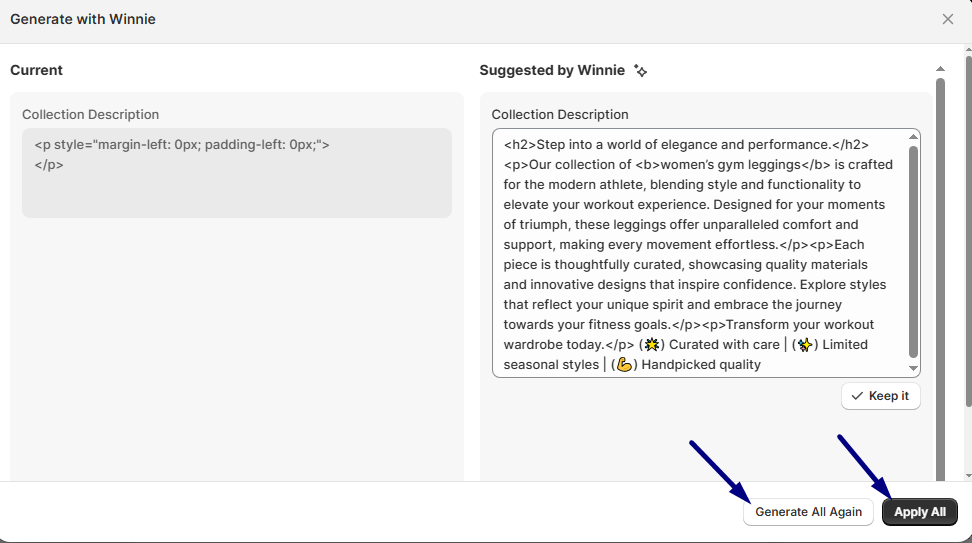
Apply All: Everything on the right looking good? Smash Apply All and watch Winnie update everything on the left in seconds.
Generate All Again: Meh, not loving it? Hit Generate All Again and let Winnie cook up a brand-new batch of ideas just for you.
Oops or Clean Slate?
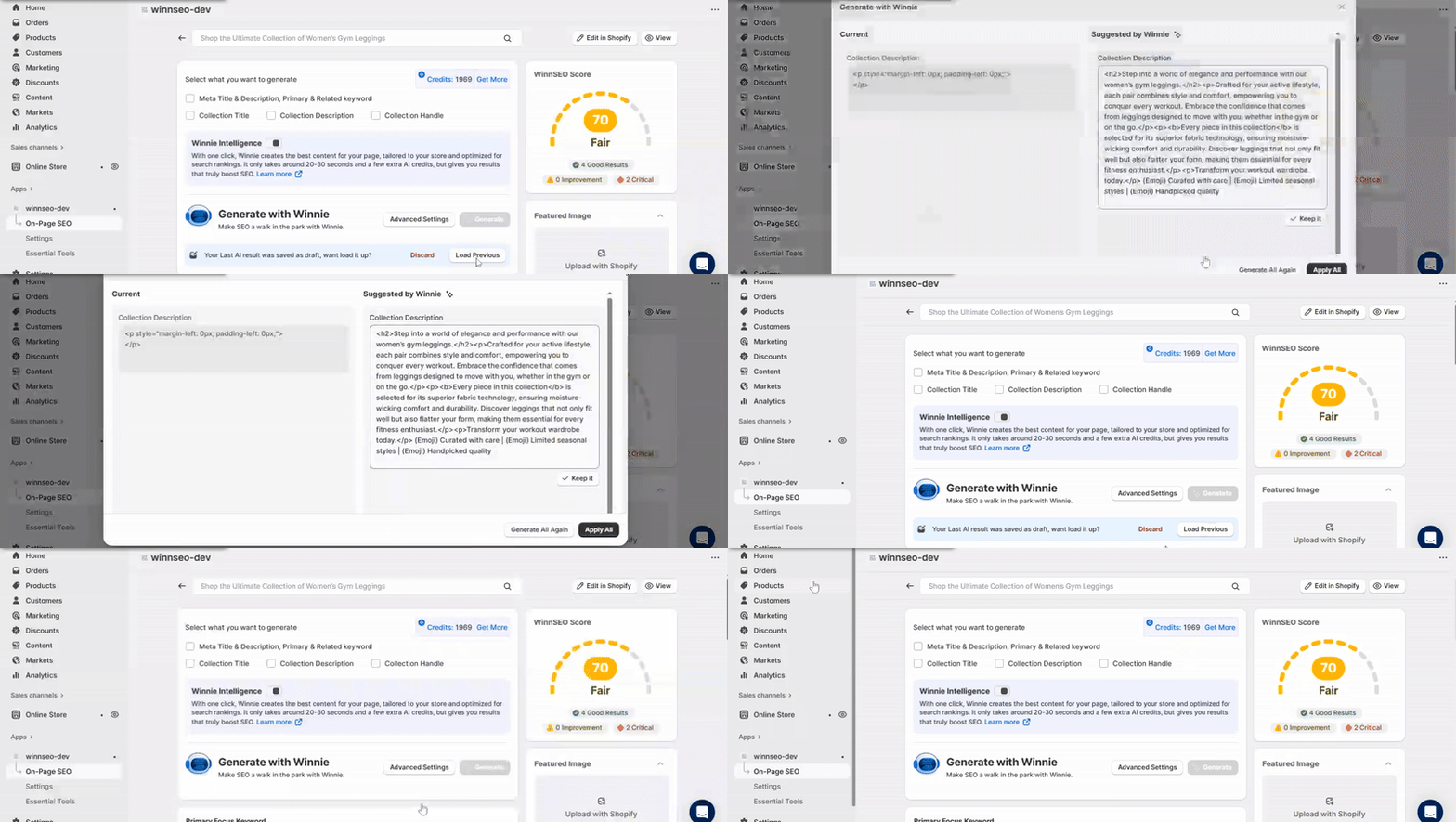
Load Previous: Made a change you’re not feeling? Click Load Previous to go back to the ideas you had before.
Discard: Time for a reset? Discard wipes everything clean and gives you a blank canvas to start over.
How to use Advanced Settings
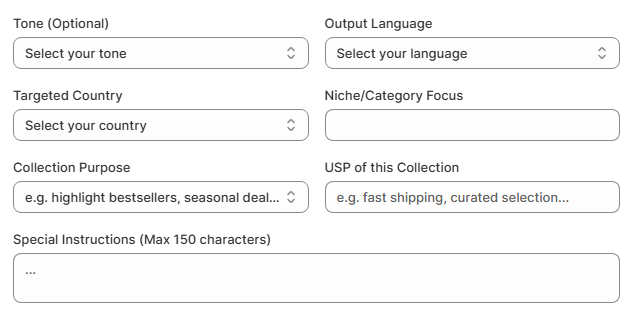
Here are more smart controls for you. Click on Advanced Settings to unlock extra options for fine-tuning your content.
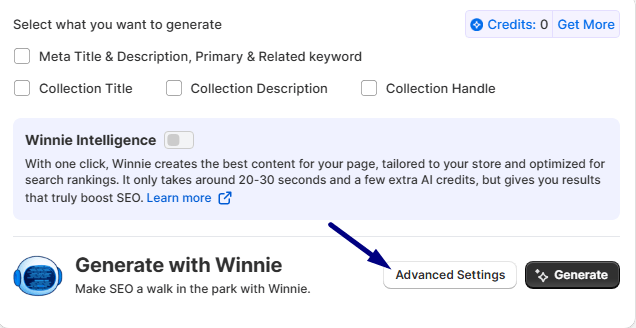
Here are the advanced options. You can pick a tone and language that match your style. You can also target a specific country to optimize for your audience. Define your niche or category focus, and set the purpose of the collection. Additionally, you can highlight its unique selling points and include your brand name. You can even give the AI special instructions. This way, the final content comes out just the way you want it.
NOTE: Use Advanced Settings only if you’re confident in crafting effective prompts and understanding AI behavior. Selecting mismatched tones or audience types can result in off-brand, inaccurate, or low-performing outputs.
What is Winnie Intelligence
Winnie Intelligence is your built-in AI assistant inside WinnSEO, and it’s a total game changer! When you enable Winnie Intelligence It does all the heavy lifting, from analyzing your competitors and identifying high-impact keywords to creating perfect product titles and SEO-rich descriptions.
No more manual, time-consuming work, Winnie Intelligence saves hours by generating data-backed, winning content designed to outrank your competitors and help your Shopify store grow faster.
All done! With WinnSEO AI, you’re set to generate great content and level up your Shopify store’s SEO. You’re ready to rock!
