
With WinnSEO’s AI Optimization, Shopify Store SEO just got a whole lot easier! This app lets you automatically generate awesome SEO optimized content for your products, from meta titles and descriptions to keywords. It’s all designed to help you climb those search rankings without the headache.
Ready? Let’s dive in!
Table of Contents
How to use WinnSEO AI Optimization for Products
Here, we’ll walk you through the simple, step-by-step process of using WinnSEO’s AI settings.
Select your product
First, you need to go to the On-Page SEO section within the WinnSEO app to find the products you want to work on.
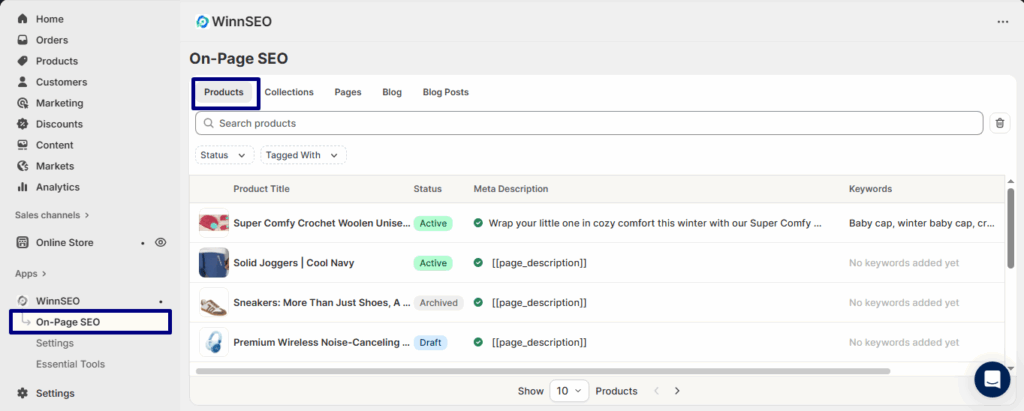
Say you’ve selected the Super Comfy Crochet Woolen Unisex Baby Cap product page. The best part? You can easily optimize it by clicking the Winnie icon. It’s quick, simple, and totally hassle-free!
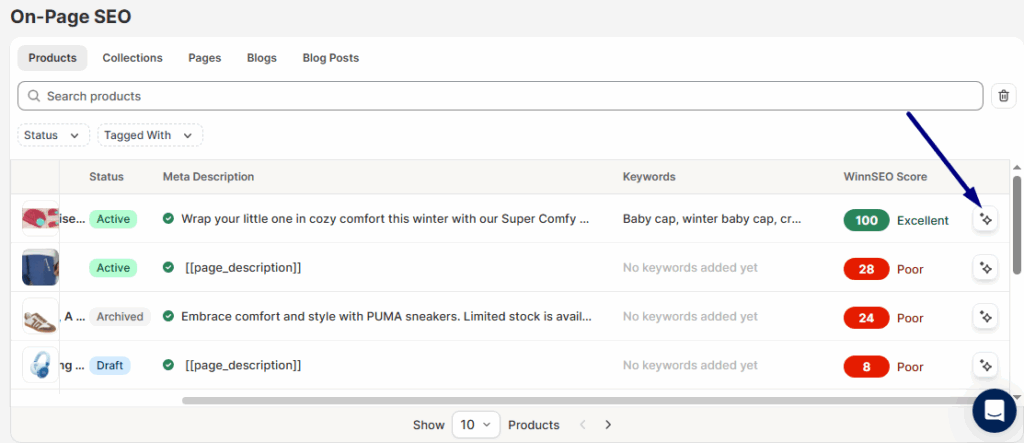
However, if you want to explore the settings by yourself, just click on the product, and you’ll be taken to its AI settings screen.
Exploring AI settings of WinnSEO
In the On Page editor, you’ll see the AI Optimization on top, where you can pick and choose what you want to create.
Here, the options are –
- Meta Title & Description, Keywords: Creates SEO-friendly titles, descriptions, and keyword suggestions.
- Product Title: Writes a catchy, optimized product name.
- Product Description: Generates a clear, engaging & SEO Optimized description.
- Product Handle: Makes a clean, search-friendly URL.
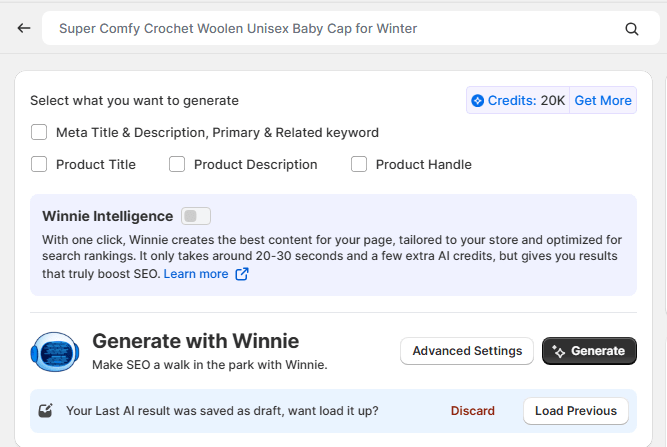
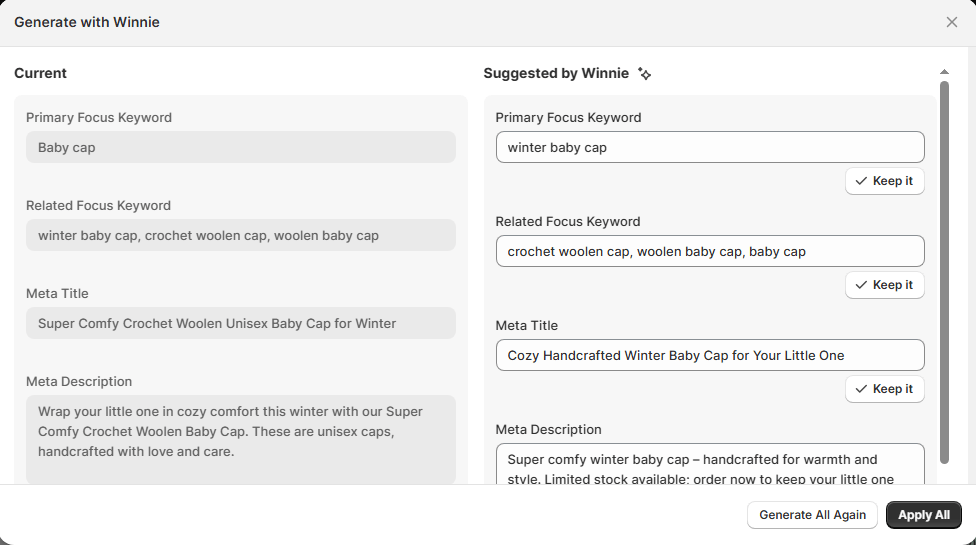
For example, if you need a Meta Title & Description, Primary & Related keywords, just check that box and hit the Generate button.
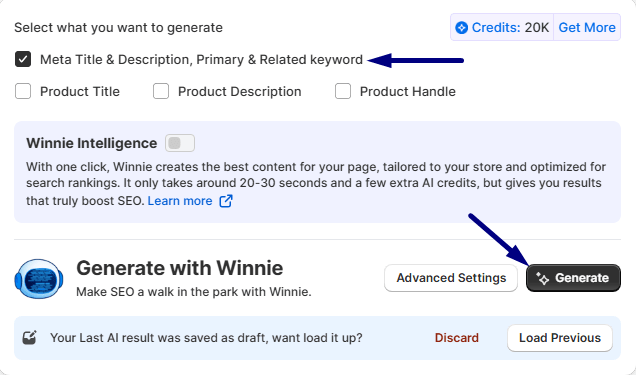
And here is our generated result –
How to apply the AI generated results
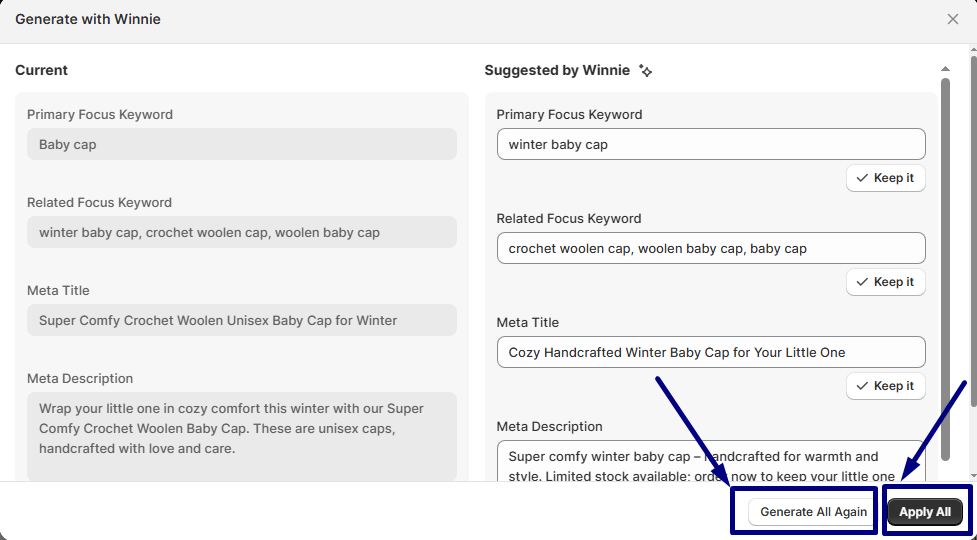
- Apply All: If you like everything Winnie suggested on the right side, just hit Apply All! It’s the quick and easy way to accept all those new keywords and descriptions, instantly replacing your current stuff on the left.
- Generate All Again: Not quite feeling those ideas? No sweat. Hitting Generate All Again tosses out the current suggestions and asks Winnie to cook up a brand-new set of options for you to check out.
How to Check Previous History & Discard
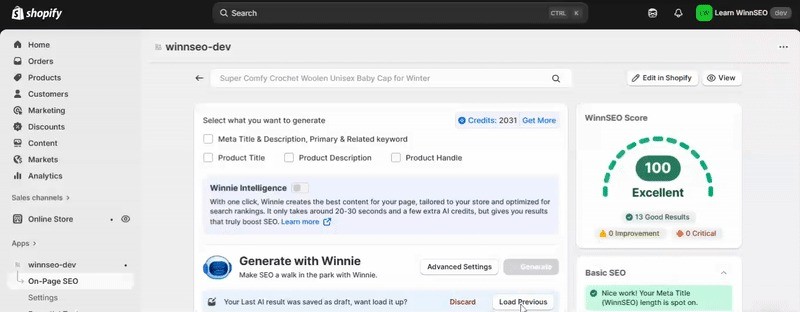
- Load Previous: Think of Load Previous as your Oops, go back a step! button. If you accidentally generated a new set of suggestions that you don’t like, this button simply brings back the ideas you saw before the last change.
- Discard: Discard is your basic Delete it all button. If you just want to clear out everything on the left side and start fresh with an empty slate, hit Discard.
How to use Advanced Settings
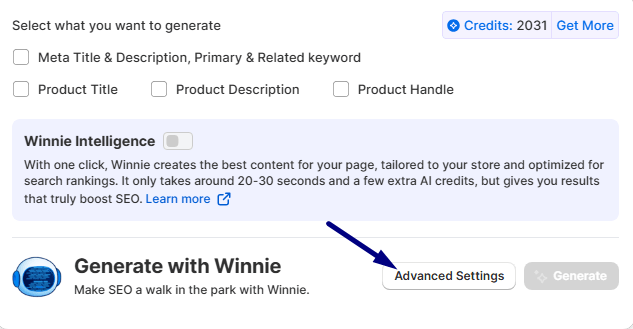
Need more advanced customization options? Click on the Advanced Settings and get extra controls over the output.
Here you go! These are the advanced options to fine-tune your product details. You can choose a tone and language from a wide selection, ensuring your writing is a perfect fit. To optimize your content for a specific market, just select a targeted country. You can also add your brand name and give the AI special instructions, making sure the final content is exactly what you’re looking for.
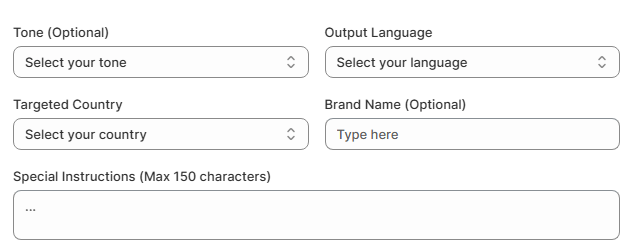
NOTE: Use Advanced Settings only if you’re confident in crafting effective prompts and understanding AI behavior. Selecting mismatched tones or audience types can result in off-brand, inaccurate, or low-performing outputs.
What is Winnie Intelligence
Winnie Intelligence is your built-in AI assistant inside WinnSEO, and it’s a total game-changer! When you enable Winnie Intelligence, it does all the heavy lifting, from analyzing your competitors and identifying high-impact keywords to creating perfect product titles and SEO-rich descriptions.
No more manual, time-consuming work, Winnie Intelligence saves hours by generating data-backed, winning content designed to outrank your competitors and help your Shopify store grow faster.
And that’s it! Now you’re all set to use WinnSEO AI settings to create great content and boost your store’s SEO. You’ve got this!
Frequently Asked Questions
Q1. Does AI content hurt SEO?
No. WinnSEO’s AI content is optimized for Google’s Helpful Content Update and E-E-A-T standards. It increases quality and readability.
Q2. Can I regenerate multiple times?
Yes — regenerate as many times as you need until satisfied.
Q3. Can I edit the AI output?
Absolutely. Every field is editable before saving.
Q4. How many products can I optimize daily?
Unlimited, depending on your credit balance and plan tier.
