
Why Optimizing Store Pages Matters
Your Shopify store pages are the backbone of your site. They showcase your products, tell your brand story, and help customers decide to buy. But here’s the catch: even the most beautiful page won’t get traffic if search engines can’t understand it.
That’s where WinnSEO comes in. With its On Page Analyzer, you get instant feedback on what’s working and what needs improvement, so your store pages stay both customer-friendly and search engine–friendly.
This guide will walk you through everything WinnSEO checks and how to fix it step by step.
Table of Contents
How to Optimize Shopify Store Pages in WinnSEO
Access your Shopify store account and proceed with these steps.
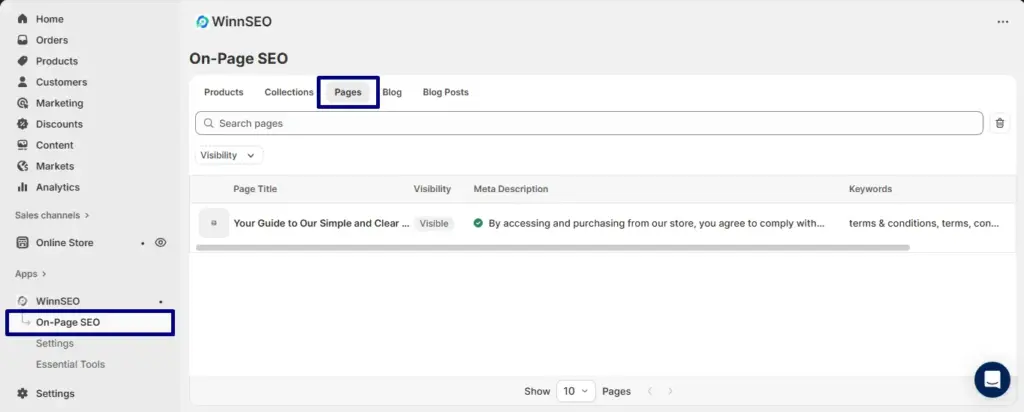
- Start by navigating to the On-Page SEO section within WinnSEO.
- Next, head to the Pages tab and select the specific product you wish to modify.
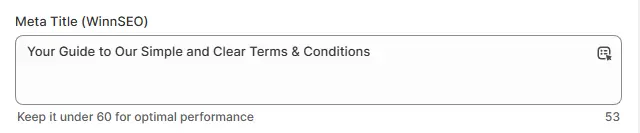
Meta Title Length (WinnSEO)
The meta title is your page’s headline in search results. Keep it between 50–60 characters so it’s complete but not cut off.
Yellow means it’s too short; you have to add a bit more detail so it’s informative. Red means it’s too long, and you need to trim extra words so search engines show the full title. Green means you’re in that perfect sweet spot.
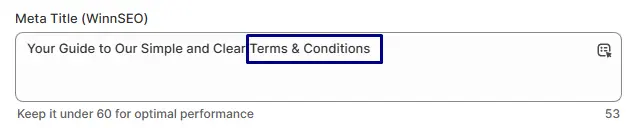
Focus Keyword in the Meta Title
Having your focus keyword in the title helps search engines and readers instantly know what your page is about.
If you see red, it’s missing. All you have to do is push it naturally so it feels like it belongs. When it’s green, you’re good to go.
Focus Keyword in the Handle
The handle is the URL slug after your domain. Including your focus keyword here makes it easy to find and remember.
Red means it’s not there yet. Just consider adding it without extra filler. A green signal means you’ve nailed both clarity and SEO.

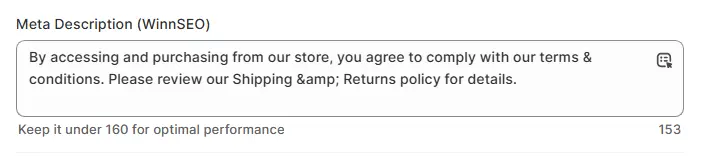
Meta Description Length (WinnSEO)
Your meta description is the little blurb under your title in search results. Aim for 150–160 characters so it’s complete but still fully visible.
Yellow means it’s too short and gives searchers a reason to click. Red means it’s too long. Have you got a green signal? Good job, it’s clear, enticing, and just the right length.
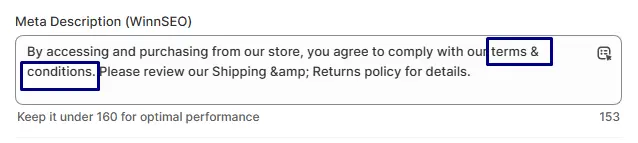
Focus Keyword in the Meta Description
Including your focus keyword here makes your listing more relevant and clickable.
If you see red, weave it in naturally without overstuffing. Green means both search engines and visitors can instantly connect your page to the keyword.
Focus Keyword in the Content
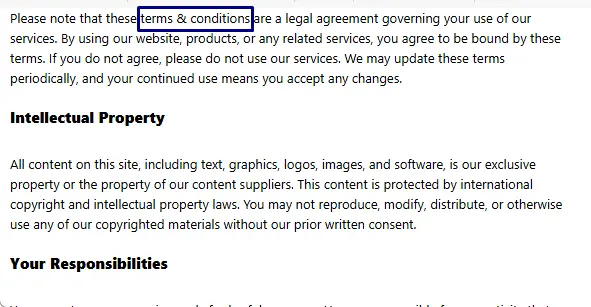
Your focus keyword should appear in the body of your page so it’s clear what the topic is.
If it’s missing and you getting the red signal, add it where it fits naturally. When it’s green, it means your keyword is part of the conversation without feeling forced.
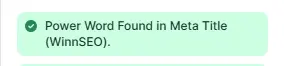
Power Word in Meta Title
Power words add excitement and catch the eye. Think words like Best, Simple, Truly, etc.
The red signal tells you none are there. Try adding one to make the title pop. Green means you’ve got that extra hook for attention.
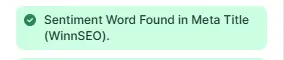
Sentiment Word in Meta Title
It’s a word that makes people want to click. Sentiment words spark emotion and connection.
If flagged red, add a word that inspires trust or interest, like “Amazing,” “Clear,” or “Trusted.” The green color indicates your title not only informs but also connects emotionally.
Word Count
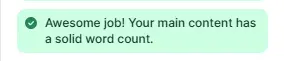
More content gives both readers and search engines more to work with. For pages, 300+ words is a good target.
Yellow means you’re a bit short, so add useful details, examples, or explanations. Green means you’ve hit a healthy length without unnecessary fluff.
Primary Focus Keyword Placement
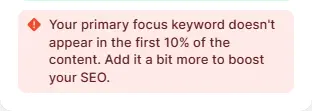
Placing your keyword in the first 10% of content signals its importance.
If red, move it up so it appears early on in a natural way. Green means your keyword is right where it needs to be for SEO.
Internal Links
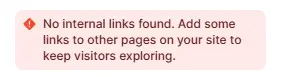
Internal links guide visitors to other parts of your site and help search engines understand your structure.
If you see red, look for natural spots to link to related pages or collections. Green means your page is well-connected internally.
External Links
External links to trusted sites can boost credibility.
If flagged red, add a relevant, high-quality source where it fits naturally. Green means your page offers value beyond itself.
Focus Keyword in Subheadings
Subheadings break up content and give search engines extra keyword signals.
Red tells you that the keyword is missing. Don’t worry! work it into one or two subheadings. Green means your headings are both reader-friendly and SEO-friendly.
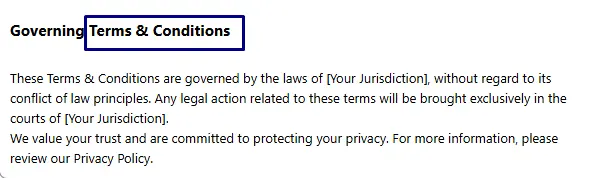
Image Alt Text
Alt text describes an image for accessibility and SEO.
However, without image alt text you’ll see the red signal. So add short and clear alt texts. Green means it’s all good.
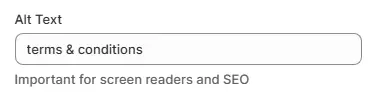
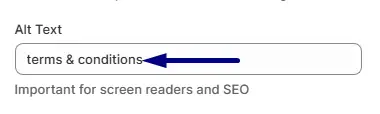
Focus Keyword in Image Alt Text
Using your focus keyword in the image alt text helps search engines understand the image’s context and relevance to your content. It can improve your page’s ranking.
If your image is missing alt text, you’ll see a warning. Simply add the keyword, and the green light will confirm you’re good to go.
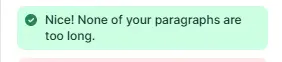
Paragraphs Length
Paragraph length affects readability and user experience. Keep paragraphs concise, 2–4 sentences are ideal for online content. If text is too long and marked red, divide it into smaller parts to make it easier to read.Green means paragraphs are balanced, easy to read, and support SEO by keeping readers engaged.
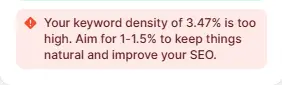
Keyword Density
Too much of your keyword can feel spammy; too little can make it harder to rank. The sweet spot is 1–1.5%.
If red for being too high, replace a few with variations. Green means your usage feels natural and balanced.
Why This Matters for Shopify Merchants
When you optimize your shopify store pages with WinnSEO, you:
- Improve your chances of ranking higher in Google.
- Drive more organic traffic without paid ads.
- Give shoppers clear, trustworthy information.
- Boost engagement and conversions on every page.
Your store pages are too important to leave under-optimized. With WinnSEO, you can:
- Fix SEO issues in minutes.
- Hit that 100/100 SEO score.
- Drive more visibility, clicks, and sales.
Already a WinnSEO user? Log in and run the On Page Analyzer on your store pages today.
Not using WinnSEO yet? Start Using WinnSEO and make your Shopify store SEO-friendly in just a few clicks.
